Health Tech
Apple Watch’s Game-Changing Hypertension Feature: Your Silent Health Guardian in watchOS 26
Apple Watch Ultra 3
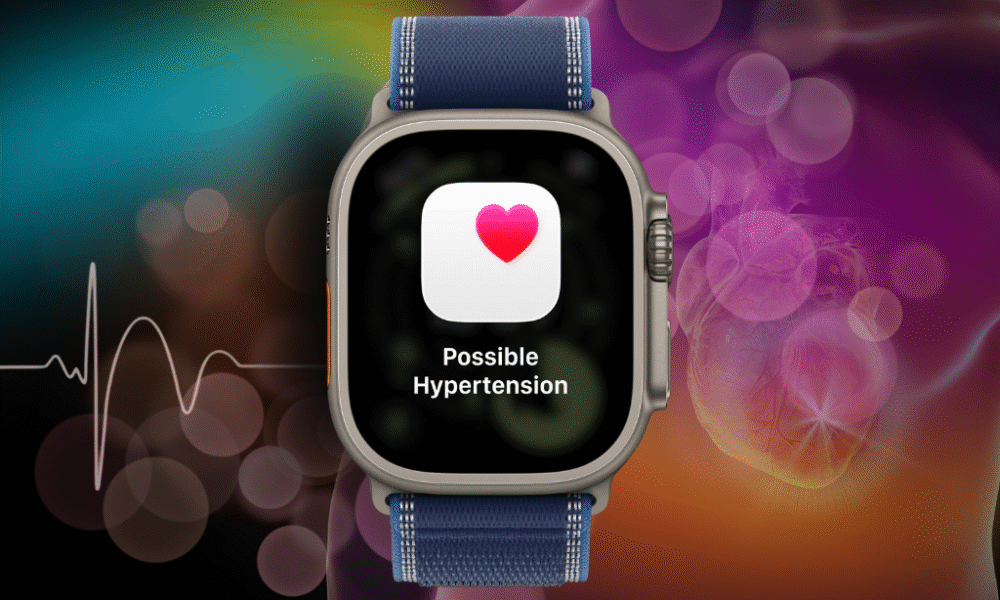
Apple’s latest watchOS 26 update introduces what might be the most significant health breakthrough yet: hypertension notifications that could potentially save millions of lives. This revolutionary feature transforms your Apple Watch into a vigilant health monitor, silently tracking patterns in your heart data to detect signs of chronic high blood pressure before symptoms appear.
With hypertension affecting 1.3 billion people worldwide and often presenting no symptoms until something drastic happens, this new capability represents a major leap forward in preventive healthcare technology.
What Makes This Feature Revolutionary?
Hypertension is an ongoing condition that can cause damage to your heart, blood vessels, and other organs. The Apple Watch hypertension feature works by analyzing data collected by the optical heart sensor and notifying you if it detects a pattern of hypertension over 30 day evaluation periods.
What sets this apart from traditional blood pressure monitoring is its passive, continuous approach. The algorithm works passively in the background reviewing data over 30-day periods, and will notify users if it detects consistent signs of hypertension. No manual measurements required – your watch does all the work while you go about your daily life.
The Science Behind the Technology
Apple said the feature underwent “rigorous scientific validation” and was developed with advanced machine learning and training data from multiple studies totaling more than 100,000 participants, with performance validated in a clinical study of more than 2,000 participants.
Compatible Apple Watch Models
The hypertension notifications feature is available on these Apple Watch models with watchOS 26:
- Apple Watch Series 11 (latest model)
- Apple Watch Series 10
- Apple Watch Series 9
- Apple Watch Ultra 3 (latest model)
- Apple Watch Ultra 2
Important Note: The Hypertension Notifications Feature is not available with Apple Watch SE.
Additional Requirements
To use this feature, you’ll also need:
- iPhone 11 or later running iOS 26
- Wrist Detection enabled on your Apple Watch
- Age 22 or older
- Not pregnant
- No previous hypertension diagnosis
Step-by-Step Setup Guide
Setting up hypertension notifications is straightforward:
- Open the Health app on your iPhone
- Tap your profile icon in the upper corner
- Under Features, tap ‘Health Checklist’
- Tap ‘Hypertension Notifications’
- Confirm your age and whether you’ve been diagnosed with hypertension, then tap Continue
- Tap Next to follow onscreen prompts about how notifications work
- Tap Done to complete setup
What Happens After Setup?
Here’s what you need to know about the monitoring process:
The 30-Day Learning Period
After walking through the setup process, you won’t start getting hypertension notifications immediately. That’s because Apple needs 30 days to gather initial data before it can accurately predict whether you might be demonstrating a pattern of hypertension.
How Notifications Work
If you receive a notification, the Hypertension Notifications Feature on your Apple Watch identified patterns related to hypertension within the last 30 days of your heart data. When this happens, you should discuss the hypertension notification and your blood pressure measurements with your healthcare professional.
The system will also prompt you to set up a Blood Pressure Log and use a third-party blood pressure cuff to measure and track your blood pressure for 7 days.
Global Availability and FDA Approval
The feature has received significant regulatory approval. The feature received clearance from the U.S. Food and Drug Administration (FDA) last week, and clearance for hypertension notifications from the FDA and other regulators is expected soon, and the feature will be available in more than 150 countries and regions — including the U.S. and the EU — this month.
MacRumors forum members said the feature has gone live in places such as the UK, Denmark, France, Germany, Italy, Portugal, Poland, the Netherlands, Hong Kong, and others. The feature is not yet available in Canada.
Important Limitations and Disclaimers
Medical Limitations
The Hypertension Notifications Feature is not intended to diagnose, treat, or aid in the management of hypertension or other conditions such as blood clots, stroke, atrial fibrillation, congestive heart failure, or high cholesterol. Not all people with hypertension receive a notification.
Emergency Situations
Apple Watch cannot detect heart attacks. If you ever experience chest pain, pressure, tightness, or what you think is a heart attack, call emergency services immediately.
Who Can’t Use This Feature
- People under 22 years old
- Those previously diagnosed with hypertension
- Pregnant individuals
- If you have an active pregnancy logged in the Health app, you can’t enable the Hypertension Notifications Feature
The Broader Health Ecosystem
This hypertension feature joins Apple Watch’s comprehensive health monitoring suite, which includes:
- Irregular rhythm notifications
- High and low heart rate notifications
- ECG app
- Blood Oxygen monitoring
- Sleep apnea notifications
- Retrospective ovulation estimates
- New Sleep Score feature in watchOS 26
Potential Impact
Apple believes up to one million people could receive the alerts in the feature’s first year. This could represent a massive breakthrough in preventive healthcare, potentially catching hypertension cases that might otherwise go undiagnosed until serious complications arise.
Other Notable watchOS 26 Features
While hypertension notifications steal the spotlight, watchOS 26 also introduces:
- Liquid Glass design for more expressive interactions
- Workout Buddy powered by Apple Intelligence for personalized fitness motivation
- Sleep Score to better understand sleep quality
- Live Translation in Messages
- Wrist Flick gesture for one-handed interactions
- New watch faces including Exactograph and Flow
Frequently Asked Questions
Q: Will the hypertension feature work on older Apple Watch models? A: The feature requires Apple Watch Series 9 or later, or Apple Watch Ultra 2 or later. It’s not available on Apple Watch SE or earlier models.
Q: How accurate is the hypertension detection? A: Apple conducted extensive validation with over 100,000 participants in training studies and 2,000 participants in clinical validation. However, it’s not a medical diagnostic tool and should be discussed with healthcare professionals.
Q: Can I use this feature if I already have hypertension? A: No, the feature is specifically designed for people who haven’t been previously diagnosed with hypertension. It’s meant for early detection, not management of existing conditions.
Q: How long does it take to get notifications? A: The system requires 30 days of initial data collection before it can provide accurate notifications. After that, it continuously monitors in 30-day evaluation periods.
Q: Does this replace regular blood pressure monitoring? A: No, this is a screening tool for early detection. Apple recommends using traditional blood pressure cuffs for actual measurements and medical monitoring.
Q: Is the feature available worldwide? A: It’s rolling out to over 150 countries and regions, including the US and EU. Availability depends on local regulatory approvals.
Q: What should I do if I receive a hypertension notification? A: Contact your healthcare provider to discuss the notification and consider getting your blood pressure professionally measured and monitored.


Ready to explore more cutting-edge health technology?
Discover https://thetechreview.net/category/health-tech/Our Complete Health Tech Reviews →
Dive deep into our comprehensive reviews of the latest smartwatches, fitness trackers, and health monitoring devices. From in-depth Apple Watch comparisons to emerging health tech innovations, we’ve got you covered with expert analysis and real-world testing.