Home Tech
BenQ HT2060 Projector: A Comprehensive In-Depth Review
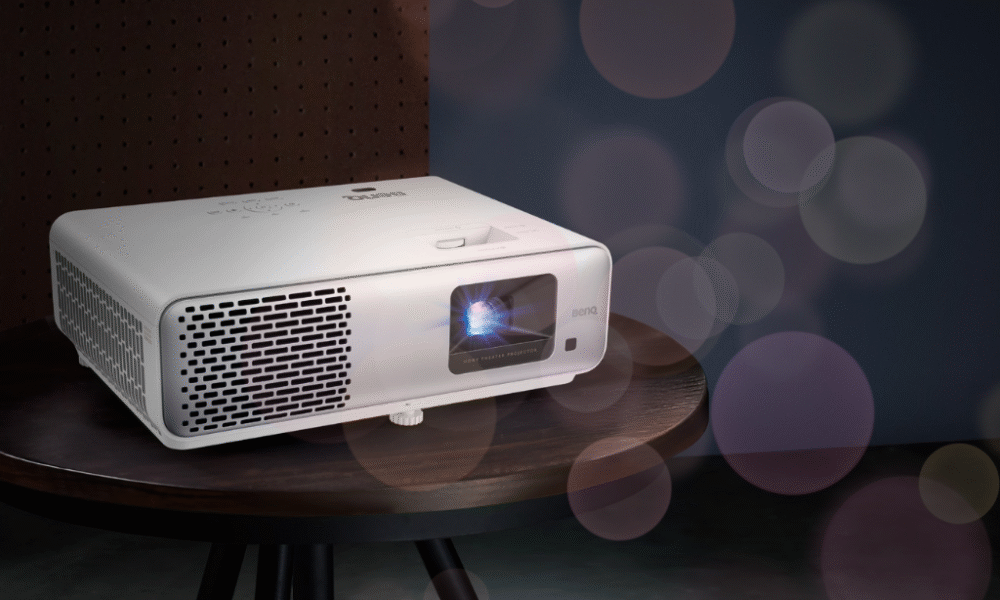
In the ever-evolving world of home entertainment, projectors have become an increasingly popular alternative to traditional televisions, offering the allure of a true cinematic experience in the comfort of your own home. The BenQ HT2060 positions itself as an entry-level home theater projector that promises to deliver impressive performance without demanding a premium price tag. After extensive evaluation, it’s clear that this projector represents a compelling option for those taking their first steps into the world of large-screen projection, though it comes with both notable strengths and limitations worth discussing in detail.
Design and Build Quality
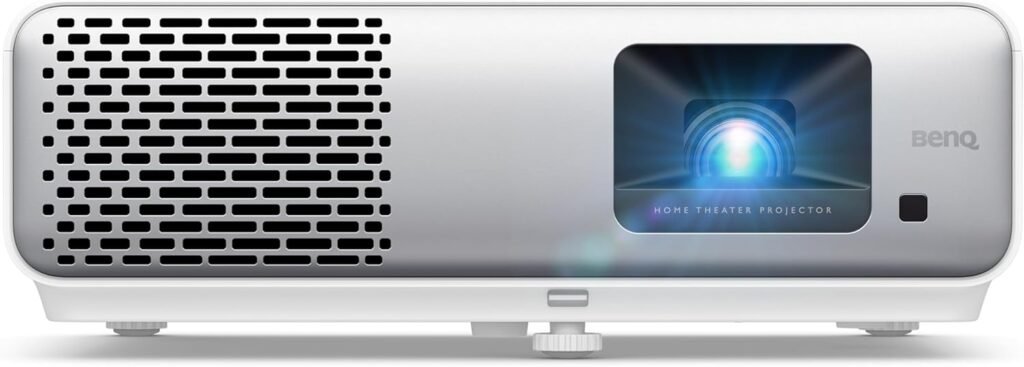
The BenQ HT2060 sports a clean, professional aesthetic with its white chassis that should blend seamlessly into most home theater environments. The projector measures approximately 12.2 x 9.5 x 4.1 inches and weighs around 6.2 pounds, making it reasonably portable while still feeling substantial enough to inspire confidence in its build quality. The housing is constructed primarily from durable plastic with a matte finish that resists fingerprints and smudges effectively.
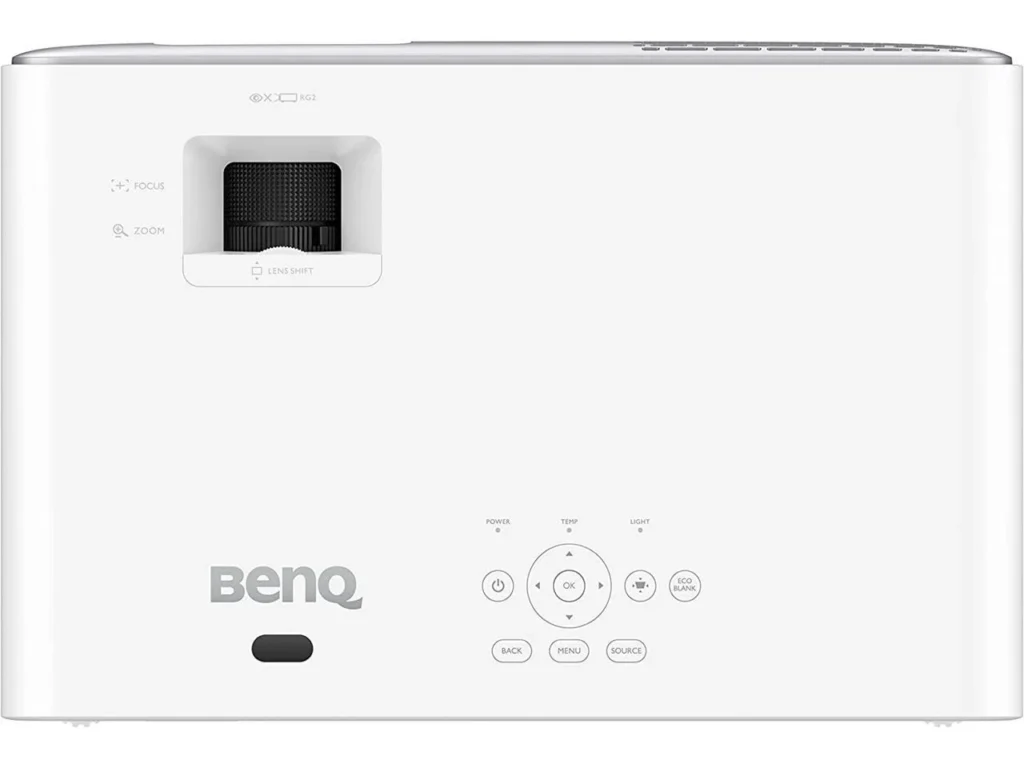
The top panel features a simple control interface with clearly labeled buttons, though you’ll likely rely on the included remote control for most operations. Speaking of the remote, it’s a straightforward infrared unit with a logical button layout that’s easy to navigate even in a darkened room. The buttons have good tactile feedback, and the remote includes dedicated shortcuts for picture modes and other commonly accessed settings.
One minor criticism on the design front is the lack of a built-in lens cover, which means you’ll need to be mindful of dust accumulation on the lens when the projector isn’t in use. This is a common omission at this price point, but it’s worth noting for those who prefer comprehensive protection for their equipment. The cooling vents are positioned strategically around the chassis to promote adequate airflow, though we’ll discuss fan noise in more detail later.

Picture Quality and Performance
The heart of any projector review lies in its image quality, and the HT2060 delivers admirably for its class. Utilizing DLP (Digital Light Processing) technology with a single 0.65-inch DMD chip, this projector produces Full HD resolution images at 1920×1080 pixels. While 4K projectors have become more common, Full HD remains perfectly suitable for most content, especially at the screen sizes typically used in home environments.
The brightness specification of 2200 ANSI lumens is genuinely impressive for a projector in this price range. This level of brightness means the HT2060 can deliver a watchable image even in rooms with some ambient light, though you’ll still get the best results in a properly darkened theater environment. During testing, the projector maintained good brightness uniformity across the entire image, with only minimal hotspotting in the center that’s barely noticeable during normal viewing.
Where the HT2060 truly shines is in its color reproduction. BenQ has equipped this projector with their CinematicColor technology, which they claim covers 96% of the Rec.709 color gamut. Rec.709 is the international standard for high-definition television, so achieving near-complete coverage means the projector can accurately reproduce the colors as content creators intended. In practice, this translates to vibrant, lifelike colors that pop off the screen without appearing oversaturated or artificial. Reds are rich and warm, blues are deep and nuanced, and skin tones appear natural across various lighting conditions.
The contrast ratio, specified at 15,000:1, is respectable though not exceptional. In real-world viewing, this means you’ll get decent black levels that allow for good shadow detail in darker scenes, though true blacks can appear more as dark grays when compared to higher-end projectors or OLED displays. This is a common limitation of single-chip DLP projectors at this price point, and the HT2060 performs about as well as can be expected given its technology and cost. Dark movie scenes remain watchable with acceptable detail in shadows, though serious videophiles might notice the lack of absolute black depth during particularly dark sequences.
One aspect worth discussing is the rainbow effect, a phenomenon sometimes associated with DLP projectors where sensitive viewers can perceive brief flashes of red, green, and blue colors, particularly during high-contrast scenes or rapid eye movements. The HT2060 uses a standard color wheel speed, and while some viewers may occasionally notice rainbow artifacts, most people find them either non-existent or minimally distracting. If you’ve successfully watched DLP projectors in the past without issues, you’ll likely have no problems with the HT2060.
Setup and Installation Flexibility
One of the most practical considerations when choosing a projector is how easy it is to set up and how much flexibility you have in positioning it within your room. The HT2060 offers a reasonable throw ratio of 1.15-1.5:1 with its 1.3x zoom lens, which means you’ll need to position the projector approximately 10 to 13 feet away from the screen to achieve a 100-inch diagonal image. This provides decent flexibility for various room configurations, though it’s not as flexible as projectors with longer zoom ranges.
The projector includes vertical keystone correction of ±40 degrees, which allows you to digitally adjust the image if the projector isn’t perfectly perpendicular to the screen. However, it’s worth noting that keystone correction works by digitally manipulating the image, which can result in some loss of resolution and sharpness. Whenever possible, it’s preferable to position the projector at the correct angle and avoid relying on keystone correction for optimal image quality.
Manual focus and zoom adjustments are controlled by two clearly marked wheels on the top of the projector. While some users might prefer motorized adjustments found on premium models, the manual controls are smooth and precise, making it easy to dial in a perfectly sharp image. The focus uniformity is good across the entire screen, with only minor softness at the extreme corners that’s unlikely to be noticed during regular viewing.
The HT2060 can be ceiling-mounted or placed on a table, and it includes mounting points for standard ceiling brackets. The projector offers front and rear projection modes as well as ceiling mount options, all easily configured through the on-screen menu system.

Gaming Performance
For many users, gaming capability is an important consideration, and the HT2060 doesn’t disappoint in this regard. The projector features a dedicated Game mode that reduces input lag to approximately 33 milliseconds. While this isn’t quite as low as the sub-20ms latency found on gaming-focused projectors or modern gaming TVs, it’s more than adequate for casual and console gaming. Most players will find the responsiveness perfectly acceptable for single-player adventures, racing games, and most multiplayer titles.
The Game mode does make some compromises in image quality to achieve lower latency, slightly reducing contrast and color saturation, but the trade-off is generally worthwhile for interactive content. For competitive gamers playing fast-paced titles where every millisecond matters, you might want to consider a projector specifically designed for gaming with even lower input lag, but the vast majority of users will find the HT2060’s gaming performance entirely satisfactory.
The combination of a large projected image and responsive controls creates an immersive gaming experience that’s hard to match on traditional displays. Whether you’re exploring vast open worlds, racing through detailed tracks, or battling through intense action sequences, the HT2060’s 100-inch-plus image adds a level of engagement that smaller screens simply cannot provide.
Lamp Life and Operating Costs
One of the most attractive features of the HT2060 is its exceptional lamp longevity. BenQ rates the lamp life at 4500 hours in Normal mode, 6500 hours in Eco mode, and an impressive 15,000 hours in SmartEco mode. The SmartEco mode intelligently adjusts lamp brightness based on the content being displayed, reducing power consumption and heat output during darker scenes while maintaining full brightness when needed.
For perspective, if you watch an average of three hours of content per day, the lamp could last over 13 years in SmartEco mode before requiring replacement. Even accounting for gradual brightness degradation over time, this is an exceptional lifespan that significantly reduces the total cost of ownership. Replacement lamps typically cost between $150 and $250, so extending lamp life translates directly into substantial savings over the projector’s lifetime.
The SmartEco mode doesn’t just extend lamp life; it also reduces power consumption and heat output, which contributes to a quieter operating experience and lower electricity bills. In real-world use, the SmartEco mode’s dynamic brightness adjustment is subtle and rarely noticeable, making it an easy recommendation for most users.
Audio Capabilities
The HT2060 includes a built-in 10-watt speaker, which is a welcome inclusion for occasional use or temporary setups. The speaker is reasonably clear at moderate volumes and adequate for casual viewing, presentations, or situations where external audio isn’t practical. However, let’s be realistic: no built-in projector speaker can deliver the kind of audio experience that matches the visual scale of a 100-inch projected image.
For any serious home theater application, you’ll want to connect external speakers, a soundbar, or a full surround sound system. The projector includes a 3.5mm audio output jack that allows you to send audio to external speakers or a receiver. Most users will likely connect their source devices directly to an AV receiver and handle audio separately from the projector, which is the preferred configuration for optimal sound quality and flexibility.
Connectivity Options
The connectivity suite on the HT2060 is adequate if not particularly extensive. You’ll find two HDMI 1.4a inputs, which support Full HD content at up to 60Hz. While these aren’t the latest HDMI 2.1 ports with support for 4K at high frame rates, they’re perfectly appropriate for this Full HD projector and will handle any 1080p source with ease. The dual HDMI inputs are convenient, allowing you to connect multiple devices simultaneously without the need for an HDMI switcher.
Additional connectivity includes a USB Type-A port that provides 1.5 amps of power, useful for streaming sticks or other powered accessories, though it cannot be used for media playback. There’s also a 12V trigger output, a VGA input for legacy computer connections, composite video input, an RS-232 port for control system integration, and the previously mentioned 3.5mm audio output.
Notably absent is any wireless connectivity. There’s no built-in Wi-Fi, Bluetooth, or smart TV functionality. The HT2060 is a pure display device that relies entirely on external sources for content. While this keeps the projector’s design simple and focused, it does mean you’ll need to connect streaming devices, Blu-ray players, game consoles, or other sources via HDMI.
Operating Noise and Heat
Fan noise is an inevitable consideration with any projector, as these devices generate considerable heat that must be dissipated. The HT2060 produces approximately 29 decibels in Eco mode and 33 decibels in Normal mode. In practical terms, the fan is audible in a quiet room but not disruptively loud. During action-packed movie scenes with high volume, the fan noise becomes completely imperceptible. However, during quiet dialogue scenes or dramatic pauses, you may notice the gentle whir of the cooling system.
The noise level is fairly typical for projectors in this class and represents a reasonable compromise between cooling efficiency and acoustic performance. Positioning the projector farther from your seating area, such as in a ceiling-mounted configuration, helps minimize noise perception. Some users may find the fan noise noticeable initially but report becoming accustomed to it after a few viewing sessions.
Heat output is well-managed, with warm air exhausting from the vents without causing the projector’s exterior to become uncomfortably hot. Just ensure adequate clearance around the ventilation openings for proper airflow, and avoid placing the projector in enclosed spaces without ventilation.
Menu System and Picture Modes
The HT2060’s on-screen menu system is logically organized and relatively intuitive to navigate. The interface is clean and straightforward, with settings grouped into sensible categories. The included remote makes menu navigation simple, and most users should be able to configure basic settings without consulting the manual.
The projector offers several picture presets optimized for different content types, including Cinema, Game, Sport, and Bright modes. The Cinema mode is well-calibrated out of the box and serves as an excellent starting point for movie watching, with accurate colors and appropriate contrast. The Game mode, as previously mentioned, prioritizes low input lag at the expense of some image quality. Sport mode enhances brightness and color saturation for daytime viewing, while Bright mode maximizes light output for challenging ambient light conditions.
For those who want to fine-tune the image, the HT2060 provides access to color temperature adjustments, gamma settings, and individual RGB color controls. While it doesn’t offer the extensive calibration tools found on professional-grade projectors, there’s enough flexibility here to dial in an image that suits your preferences and viewing environment.
Value Proposition and Final Verdict
The BenQ HT2060 occupies an interesting position in the projector market. It’s not the absolute cheapest option available, nor does it compete with premium home theater projectors costing several thousand dollars. Instead, it targets the sweet spot for consumers who want a genuine home theater experience without making a massive financial commitment.
When evaluating value, several factors elevate the HT2060 above its competition. The combination of good brightness, accurate color reproduction, and exceptionally long lamp life creates a total cost of ownership that’s hard to beat. The projector delivers where it matters most—producing an engaging, enjoyable image that brings movies, sports, and games to life on a truly cinematic scale.
Is it perfect? Certainly not. The contrast ratio, while acceptable, doesn’t reach the levels that serious videophiles might demand. The lack of 4K resolution might disappoint those who’ve embraced Ultra HD content, though at typical viewing distances with screen sizes under 120 inches, the difference is often less significant than you might expect. The fan noise, while not excessive, is audible. The absence of any smart features or wireless connectivity means you’ll need external devices for content streaming.
However, when you consider what the HT2060 does well—bright, colorful images; good gaming performance; excellent lamp longevity; and flexible installation options—it becomes clear that this projector represents excellent value for its intended audience. It’s an ideal choice for first-time projector buyers who want to test the waters without overspending, for casual home theater enthusiasts who prioritize screen size and immersion over absolute reference quality, and for gamers who want a massive display for console gaming without breaking the bank.
The BenQ HT2060 succeeds by focusing on the fundamentals and executing them well. It doesn’t try to be everything to everyone, but for those seeking an affordable entry into home projection, it delivers a compelling experience that can transform your viewing habits and bring the magic of the big screen into your living room.
Final Rating: 4 out of 5 stars – Highly recommended for budget-conscious home theater enthusiasts and anyone looking to make the leap from television to projection without spending a fortune.


The Tech Review is your final destination for all your cool Home Tech Product reviews