Tablets
Samsung Unveils the Galaxy Tab 11 Ultra: A New Contender for Tablet Supremacy
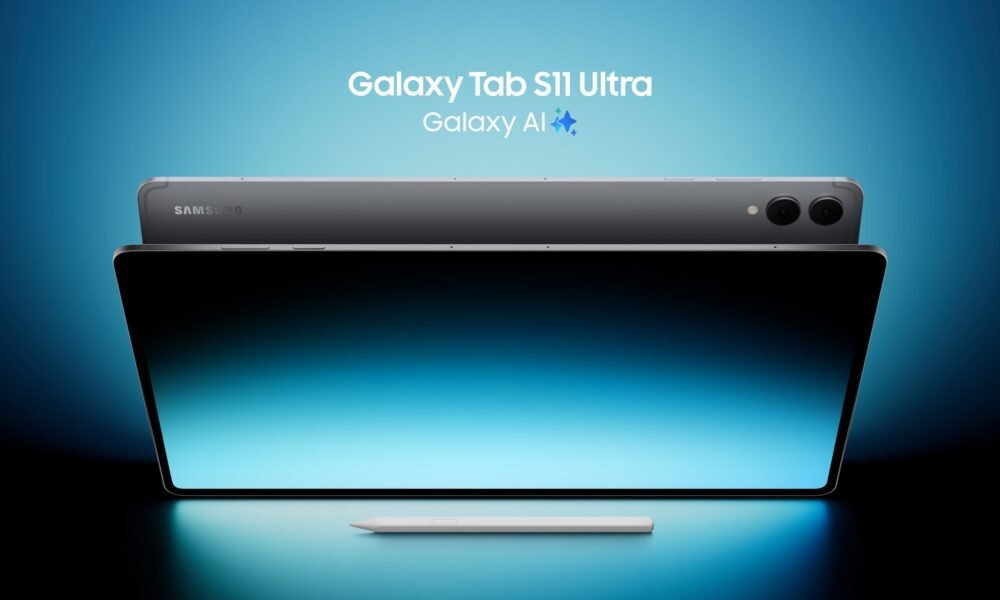
Galaxy Tab 11 Ultra
Samsung has once again raised the bar in the tablet market with the official release of the Galaxy Tab 11 Ultra. Aimed squarely at professionals, creatives, and power users, this device packs a punch with its top-tier specifications, an enhanced S-Pen, and a design that screams premium. Let’s dive into what makes this new tablet a serious contender.
Features and Specifications: Powerhouse Performance
The Galaxy Tab 11 Ultra is designed to handle anything you throw at it. At its core lies the formidable Snapdragon 8 Gen 3 chipset, ensuring lightning-fast performance whether you’re gaming, editing 4K video, or multitasking with a dozen apps open. The display is a truly breathtaking 11-inch Dynamic AMOLED 2X, boasting a stunning 120Hz refresh rate and a peak brightness that makes content pop even in direct sunlight. This translates to incredibly smooth scrolling, vibrant colors, and an immersive viewing experience.
Storage options range from a generous 256GB all the way up to a capacious 1TB, ensuring you’ll have ample space for all your files, apps, and media. RAM configurations go up to 16GB, further solidifying its pro-grade capabilities. For photographers and videographers, the tablet features a versatile camera system with a 13MP wide-angle lens and an 8MP ultrawide on the rear, while a 12MP front-facing camera is perfect for high-quality video calls and selfies. The device is powered by a large 10,000 mAh battery, promising all-day usage, and supports 45W super-fast charging.
The New S-Pen: Precision Perfected
The included new S-Pen is not just an accessory; it’s an integral part of the Galaxy Tab 11 Ultra experience. Samsung has refined the S-Pen’s latency to an almost imperceptible level, making writing and drawing feel incredibly natural and fluid. New air gestures allow for intuitive control without even touching the screen, perfect for presentations or media playback. The improved pressure sensitivity and tilt recognition open up new possibilities for artists, offering greater control and nuance in their digital creations. From taking quick notes to detailed illustrations, the new S-Pen elevates productivity and creativity.
Pros and Cons: A Balanced View
Here’s a quick look at the strengths and weaknesses of the Galaxy Tab 11 Ultra:
| Pros | Cons |
| Stunning Dynamic AMOLED 2X Display (120Hz) | Premium Price Tag |
| Cutting-Edge Snapdragon 8 Gen 3 Processor | No Headphone Jack |
| Included, Enhanced S-Pen with Low Latency | Keyboard Cover Sold Separately |
| Excellent Battery Life (10,000 mAh) | Android Tablet App Ecosystem Still Lags iPadOS for Some Pro Apps |
| Up to 1TB Storage & 16GB RAM | Large Size May Be Cumbersome for Some |
| Premium Build Quality and Design |
Export to Sheets
Competitor Comparison: Standing Against the Giants
The Galaxy Tab 11 Ultra enters a highly competitive market, primarily going head-to-head with Apple’s iPad Pro line.
| Feature/Spec | Samsung Galaxy Tab 11 Ultra | Apple iPad Pro 11-inch (M2) | Microsoft Surface Pro 9 |
| Processor | Snapdragon 8 Gen 3 | Apple M2 | Intel Evo Core i5/i7 or Microsoft SQ3 |
| Display | 11″ Dynamic AMOLED 2X (120Hz) | 11″ Liquid Retina IPS LCD (120Hz) | 13″ PixelSense Flow (120Hz) |
| Stylus Included? | Yes (S-Pen) | No (Apple Pencil 2nd Gen) | No (Surface Slim Pen 2) |
| Max RAM | 16GB | 16GB | 32GB |
| Max Storage | 1TB | 2TB | 1TB |
| Operating System | Android 14 (One UI 6) | iPadOS 17 | Windows 11 Home/Pro |
| Starting Price | ~$999 | ~$799 | ~$999 |
Export to Sheets
Note: Prices are approximate and subject to change based on configuration and region.
While the iPad Pro offers a slightly more mature app ecosystem for certain professional creative tasks, the Galaxy Tab 11 Ultra counters with its stunning AMOLED display, the included S-Pen, and the versatility of Android. The Surface Pro 9, running full Windows, offers a true laptop experience in a tablet form factor, but at the cost of battery life and a heavier build. The Galaxy Tab 11 Ultra carves out its niche by offering a premium Android experience with top-tier hardware for productivity and media consumption.
Q&A: Your Burning Questions Answered
Q: Is the keyboard cover included with the Galaxy Tab 11 Ultra? A: No, the keyboard cover (Book Cover Keyboard) is sold separately, similar to most high-end tablets on the market.
Q: Can I use the Galaxy Tab 11 Ultra as a laptop replacement? A: For many users, yes! With Samsung DeX mode, you can connect an external monitor and use the tablet in a desktop-like environment. Coupled with the Book Cover Keyboard, it offers a solid productivity experience. However, for highly specialized software, a traditional laptop might still be necessary.
Q: How does the camera perform in low light? A: The Galaxy Tab 11 Ultra’s cameras are capable, especially in good lighting. For tablets, they are quite good for document scanning, video calls, and casual photos. Low-light performance is decent but won’t match dedicated flagship smartphones.
Q: What colors is the Galaxy Tab 11 Ultra available in? A: At launch, it’s available in Graphite, Silver, and Beige.
Q: Is the display suitable for professional creative work like photo and video editing? A: Absolutely. The Dynamic AMOLED 2X display with its high resolution, vibrant colors, and 120Hz refresh rate is excellent for creative tasks, offering accurate color representation and smooth visual feedback.
The Samsung Galaxy Tab 11 Ultra is a formidable entry into the premium tablet space. With its powerful internals, gorgeous display, and the versatile S-Pen, it offers a compelling package for anyone looking for a high-performance Android tablet.


For more great tablet reviews, click here.