Home Tech
What Are Mesh Routers and Why Do You Need One?
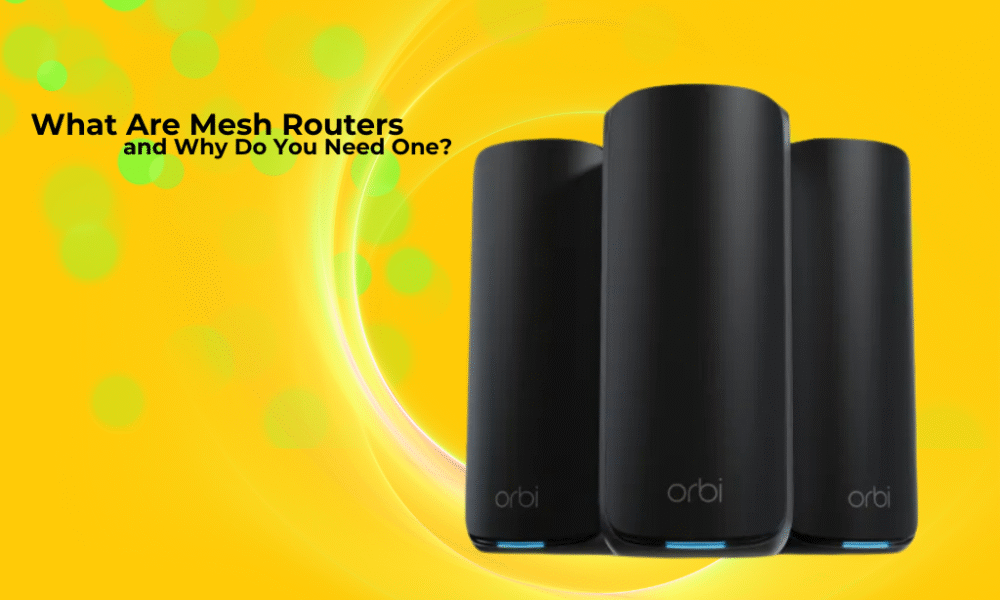
In the ever-evolving landscape of home technology, a robust and reliable internet connection has moved from a luxury to an absolute necessity. We stream, we work, we game, we learn, and we connect – often all at the same time, from various corners of our homes. But how many of us have experienced the frustration of Wi-Fi dead zones, buffering videos, or dropped connections? If this sounds familiar, you’re not alone, and the solution might just be a mesh router system.
For years, the standard single Wi-Fi router has been the go-to for connecting our devices to the internet. While perfectly adequate for smaller homes or apartments with fewer demands, these traditional setups often struggle to provide consistent coverage and speed in larger or more complex environments. This is where mesh Wi-Fi systems step in, offering a modern, intelligent, and often more effective approach to blanket your entire home with reliable internet.
So, what exactly is a mesh router, why are they becoming so popular, and perhaps most importantly, do you need one? Let’s dive in and demystify this increasingly common piece of home tech.
Understanding the Traditional Router vs. the Mesh System
To truly appreciate the benefits of a mesh system, it helps to understand its predecessor.
The Traditional Router: A Centralized Hub
Imagine your traditional router as a single, powerful light bulb placed in the center of a room. The closer you are to it, the brighter the light (stronger signal). As you move further away, or as walls and furniture block the light, it gets dimmer (weaker signal), eventually leading to dark spots (dead zones).
A traditional router broadcasts a Wi-Fi signal from a single point. Its range is limited, and the signal degrades significantly when encountering obstacles like thick walls, multiple floors, or even large appliances. This often results in:
- Dead Zones: Areas in your home where the Wi-Fi signal is practically non-existent.
- Slow Speeds: Even if there’s a signal, it might be incredibly slow, leading to buffering and frustrating delays.
- Coverage Gaps: Certain rooms or floors might simply not get reliable internet.
- Signal Bottlenecks: With many devices trying to connect to a single point, the router can get overwhelmed, slowing down performance for everyone.
The Mesh Router System: A Network of Cooperation
Now, picture a mesh system as multiple, smaller light bulbs strategically placed throughout your home. These bulbs don’t just act independently; they communicate with each other, creating a unified network where the light (Wi-Fi signal) is consistently bright and strong everywhere.
A mesh Wi-Fi system consists of multiple devices, typically one main router (connected to your modem) and several “satellite” units or “nodes.” These nodes are placed in different areas of your home, and they all work together to form a single, seamless Wi-Fi network.
Here’s how it works:
- Main Router: This unit connects directly to your internet modem and acts as the primary hub, just like a traditional router.
- Satellite Nodes: These smaller units are strategically placed around your home. They wirelessly communicate with the main router and with each other.
- Seamless Coverage: Instead of your devices connecting to a single, distant router, they connect to the nearest mesh node. As you move around your home, your device automatically switches to the node with the strongest signal without you ever noticing a drop or interruption. This is often called “client steering” or “band steering.”
- One Network: Crucially, a mesh system broadcasts a single Wi-Fi network name (SSID) and password across all its units. You don’t have to manually switch between different networks as you move, unlike with range extenders.
- Intelligent Routing: Mesh systems are smart. They can automatically determine the fastest path for data to travel from your device to the internet, potentially routing it through multiple nodes to avoid interference or congestion.
Why Are Mesh Routers Needed? The Pain Points They Solve
So, why has this technology emerged, and what common problems does it effectively address?
- Eliminating Wi-Fi Dead Zones: This is arguably the biggest selling point. If you have areas in your home where your Wi-Fi simply refuses to reach, a mesh system is designed to fill those gaps. Basements, attics, distant bedrooms, garages, and even outdoor patios can all become part of your connected home.
- Consistent Speed and Performance: Beyond just getting a signal, a mesh system aims for good signal quality everywhere. This means faster downloads, smoother streaming (4K movies, anyone?), lag-free online gaming, and quicker web browsing, no matter where you are.
- Handling More Devices: The average household today has an ever-increasing number of connected devices – smartphones, tablets, laptops, smart TVs, smart speakers, smart lights, thermostats, security cameras, game consoles, and more. Traditional routers can get bogged down. Mesh systems are generally better equipped to handle this growing demand, distributing the load more efficiently across multiple access points.
- Seamless Roaming: With a single network name, your devices automatically connect to the strongest signal as you move from room to room. No more manually switching Wi-Fi networks or experiencing dropped connections when you walk from your living room to your bedroom while on a video call.
- Easy Setup and Management: While traditional routers have become more user-friendly, mesh systems often take it a step further. Many come with intuitive mobile apps that guide you through setup, help you place nodes optimally, and provide easy control over your network, including parental controls, guest networks, and device prioritization.
- Scalability: Need more coverage? Just add another mesh node. Most systems are designed to be easily expanded, making them adaptable to homes of various sizes and layouts.
- Improved Aesthetics: Many mesh nodes are designed to be discreet, sleek, and blend into home decor, unlike some traditional routers with multiple antennas sticking out.
Who Needs a Mesh Router System?
While mesh systems offer universal benefits, they are particularly advantageous for specific types of users and home environments.
You probably need a mesh router if:
- You live in a large home (2,000 sq ft or more): Single routers struggle to cover vast areas effectively.
- You have multiple floors: Wi-Fi signals notoriously hate going through floors and ceilings.
- Your home has an unusual or complex layout: L-shaped homes, homes with many internal walls (especially brick or concrete), or long, narrow homes can create challenging signal paths for a single router.
- You experience Wi-Fi dead zones or painfully slow spots: If you consistently find yourself saying, “The Wi-Fi never works in here!”
- You have many connected devices (15+): Smart homes, large families, or tech enthusiasts will benefit from the distributed load.
- You frequently stream 4K video, play online games, or work from home: These activities demand a strong, stable connection everywhere.
- You’re tired of dropped video calls or buffering movies: A mesh system provides the stability needed for demanding applications.
- You want simple setup and management: Many mesh systems prioritize user-friendliness.
- You want seamless Wi-Fi as you move around your home: No more manual network switching.
- You use your Wi-Fi outdoors (e.g., on a patio or in the garden): Placing a node near an exterior wall can extend coverage.
You might NOT need a mesh router if:
- You live in a small apartment or a very small home (under 1,000 sq ft): A good quality single router might be perfectly sufficient.
- You have very few connected devices (less than 10): A traditional router can easily handle a lighter load.
- You don’t experience any Wi-Fi issues: If your current setup works flawlessly for all your needs, there’s no compelling reason to change.
- You’re on a very tight budget: Mesh systems are generally more expensive than a single basic router, though prices are coming down.
How Do You Know if You Need One? A Practical Guide
Beyond the descriptions, how can you concretely tell if a mesh system is right for you?
- Perform a Wi-Fi Walkthrough: Grab your smartphone or laptop and walk around your entire home, paying attention to signal strength. Most devices show a Wi-Fi signal indicator. Note where it drops significantly or where pages load slowly. Try running a speed test in different rooms using an app like Speedtest.net. If you see drastic drops in speed or connection issues, that’s a red flag.
- Consider Your Home’s Size and Layout: Look at your floor plan. How many stories? Are there thick walls? Are there rooms far from your current router? The more obstacles and distance, the more likely a mesh system will help.
- Count Your Devices: Do a quick inventory of everything that connects to your Wi-Fi. Phones, tablets, laptops, smart TVs, gaming consoles, smart speakers, security cameras, smart plugs, printers – it adds up quickly! A high device count indicates a need for a more robust network.
- Evaluate Your Internet Usage: Are you a casual browser, or do you stream 4K movies, play competitive online games, participate in frequent video conferences, or have multiple people doing all of these simultaneously? High-demand usage benefits immensely from a stable, widespread connection.
- Check for Dead Zones: Is there a particular room, a basement corner, or an upstairs bedroom where the Wi-Fi is consistently weak or non-existent? This is the most obvious sign.
- Are You Using Range Extenders and Still Unhappy? Many people try Wi-Fi range extenders first. While they can boost a signal, they often create a separate network, can halve speeds, and don’t offer the seamless roaming or intelligent routing of a mesh system. If your extender setup isn’t cutting it, it’s time for mesh.
Pros and Cons of Mesh Router Systems
Like any technology, mesh systems come with their own set of advantages and disadvantages.
| Pros | Cons |
| Superior Whole-Home Coverage: Eliminates dead zones and provides consistent signal. | Higher Initial Cost: Generally more expensive than a single traditional router. |
| Seamless Roaming: Devices automatically switch to the strongest node without interruption. | Potential for Redundant Hardware: If you only need minimal coverage, a mesh system might be overkill. |
| Easy Setup and Management: Often controlled via intuitive mobile apps. | May Not Offer the Absolute Fastest Peak Speed (in some cases): While overall coverage is better, some high-end traditional routers might offer slightly faster single-point speeds if you’re right next to them. |
| Scalability: Easily expand coverage by adding more nodes. | Reliance on Wireless Backhaul: Unless you can hardwire your nodes, they use some wireless bandwidth to communicate with each other, which can slightly reduce overall throughput compared to a fully wired network. |
| Handles More Devices: Distributes network load more efficiently. | Updates are Important: Like all network gear, keeping firmware updated is crucial for security and performance. |
| Improved Aesthetics: Many designs are sleek and discreet. | |
| Centralized Control: Manage all aspects of your network from one interface. | |
| Smart Features: Often include parental controls, guest networks, QoS, and security features. |
Competitor Comparison Chart: Mesh vs. Other Wi-Fi Solutions
To put mesh systems into perspective, let’s briefly compare them to other common Wi-Fi solutions.
| Feature / System Type | Traditional Router | Wi-Fi Range Extender | Powerline Adapter | Mesh Wi-Fi System |
| Coverage | Limited, signal degrades over distance and through obstacles. | Extends signal, but often creates a separate network. Can be inconsistent. | Uses electrical wiring; good for static devices, but dependent on home wiring quality. | Excellent whole-home coverage, eliminates dead zones. |
| Speed | Good near the router, degrades quickly further away. | Often halves speeds, especially when connecting wirelessly. | Can be good for wired connections, but speeds vary greatly. | Consistent, strong speeds across the entire coverage area. |
| Setup | Generally straightforward. | Can be finicky, often requires manual configuration. | Plug and play, but pairing can be tricky sometimes. | Very easy, often app-guided with optimal placement suggestions. |
| Seamless Roaming | No, devices stick to the main router until signal is very weak. | No, often creates a separate network (e.g., “MyWiFi_EXT”). Requires manual switching. | N/A (for wired connections). | Yes, one network name, devices automatically switch to the best signal. |
| Device Handling | Can get bogged down with many devices. | Can add congestion to the main network. | Excellent for the few wired devices it serves. | Handles many devices efficiently by distributing the load. |
| Cost | Lowest initial cost. | Low to moderate. | Low to moderate. | Higher initial cost, but offers superior performance. |
| Aesthetics | Can be bulky, often with external antennas. | Often discreet wall-plug units. | Discreet wall-plug units. | Often sleek, modern, and designed to blend in. |
| Best For | Small apartments, single users, basic internet needs. | Small coverage gaps, budget-conscious users willing to compromise. | Wired connections where Wi-Fi is poor (e.g., desktop PC in basement). | Large homes, multi-story homes, homes with many devices, users demanding consistent performance. |
Frequently Asked Questions (Q&A)
Q: Do I need a new modem if I get a mesh router system? A: In most cases, no. Your mesh system’s main router will connect directly to your existing modem. If your current modem also has router capabilities (a “modem/router combo”), you’ll typically put it into “bridge mode” or “passthrough mode” to let the mesh system handle all the routing functions. This prevents conflicts and optimizes performance.
Q: Can I use a mesh system with my existing router? A: You’ll typically use the mesh system’s main router to replace your existing router’s Wi-Fi capabilities. You wouldn’t use both simultaneously as primary Wi-Fi broadcasters, as this can cause interference. As mentioned, you might put your old router (if it’s a combo unit) into bridge mode.
Q: How many mesh nodes do I need? A: This depends on the size and layout of your home. Most manufacturers provide guidelines based on square footage. For example, a 2-pack might cover up to 3,000 sq ft, while a 3-pack might cover 5,000 sq ft. Obstacles like thick walls or multiple floors might require an extra node. The setup app usually helps you determine optimal placement.
Q: Where should I place the mesh nodes? A: The main router should be placed centrally, connected to your modem. Satellite nodes should be placed roughly equidistant from each other, ensuring they have a good signal connection to another node (or the main router). Avoid placing them in closets, behind large appliances, or near sources of interference (e.g., microwaves, cordless phones). The setup app usually provides guidance on ideal placement.
Q: Do mesh systems support both 2.4 GHz and 5 GHz Wi-Fi bands? A: Yes, almost all modern mesh systems are “dual-band” or “tri-band,” meaning they utilize both 2.4 GHz and 5 GHz frequencies. The system often intelligently assigns devices to the best band (e.g., 2.4 GHz for longer range, 5 GHz for faster speeds and less interference).
Q: Is a mesh system more secure than a traditional router? A: Security features vary by brand and model. Many mesh systems come with advanced security features built-in, such as automatic updates, intrusion detection, and sometimes even free or paid subscriptions to cybersecurity services. However, the fundamental security of your network still depends on strong passwords and good internet habits.
Q: Can I hardwire devices to mesh nodes? A: Yes, most mesh nodes include Ethernet ports. You can use these ports to hardwire devices like smart TVs, gaming consoles, or desktop computers for the most stable and fastest connection, even if the node itself is wirelessly connected to the main router. Some mesh systems also support Ethernet “backhaul,” where the nodes communicate with each other over a wired connection for even better performance.
Conclusion
In an increasingly connected world, reliable and widespread Wi-Fi is no longer a luxury but a fundamental expectation. If you’ve been grappling with frustrating dead zones, slow speeds, or dropped connections in your home, a mesh router system offers a compelling and often elegant solution. By creating a unified, intelligent network, mesh Wi-Fi can transform your home internet experience, ensuring every corner of your living space is bathed in strong, consistent, and fast Wi-Fi. While a slightly higher investment upfront, the long-term benefits of seamless connectivity and peace of mind often make it a worthwhile upgrade for the modern connected home.


You’ve got questions, we have answers. All your home tech questions answered.