
Computers
What Are the Laptops That Turn Into Tablets? A Comprehensive Guide to 2025’s Best 2-in-1 Convertibles
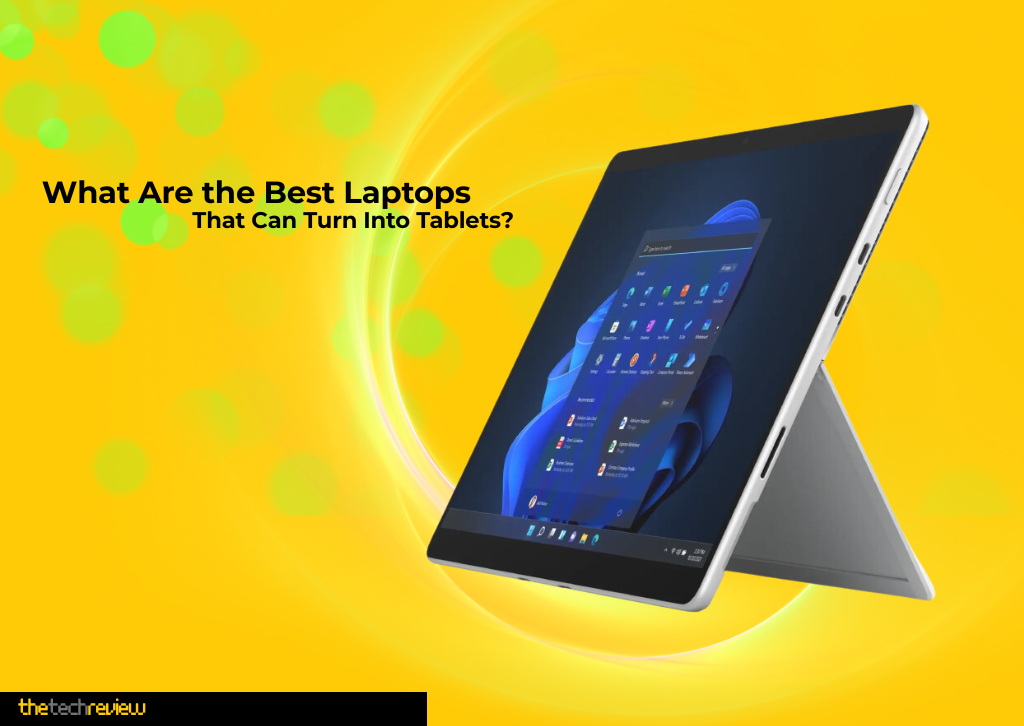
The boundaries between laptops and tablets have never been more blurred than they are in 2025. With advances in processing power, battery life, and display technology, today’s 2-in-1 convertible laptops offer unprecedented versatility for professionals, students, and creative users alike. These innovative devices combine the productivity of a traditional laptop with the convenience and portability of a tablet, all while delivering performance that rivals dedicated laptops.
Whether you’re looking for a device that can handle demanding professional workflows, support creative endeavors with stylus input, or simply provide the flexibility to work and play across multiple form factors, 2025’s crop of 2-in-1 laptops represents the pinnacle of hybrid computing technology.
Understanding 2-in-1 Laptops: The Technology Behind the Transformation
Before diving into specific models, it’s essential to understand what makes a laptop “convertible.” 2-in-1 laptops, also known as convertible laptops, feature either a 360-degree hinge mechanism that allows the screen to fold completely back onto itself, or a detachable design where the screen can be completely separated from the keyboard base.
The 360-degree hinge design is most common in 2025 models, offering four primary usage modes:
- Laptop Mode: Traditional clamshell configuration for typing and productivity
- Tablet Mode: Screen folded completely back for touch-based interaction
- Tent Mode: Inverted V-shape ideal for presentations and media consumption
- Stand Mode: Screen angled forward for optimal viewing during video calls or entertainment
These devices typically feature touchscreens with active stylus support, making them particularly appealing to digital artists, note-takers, and professionals who need to annotate documents or sign contracts on the go.
Microsoft Surface Pro 11 (2025): The Ultimate Portable Powerhouse
Starting Price: $999 (12-inch), $1,049 (13-inch)
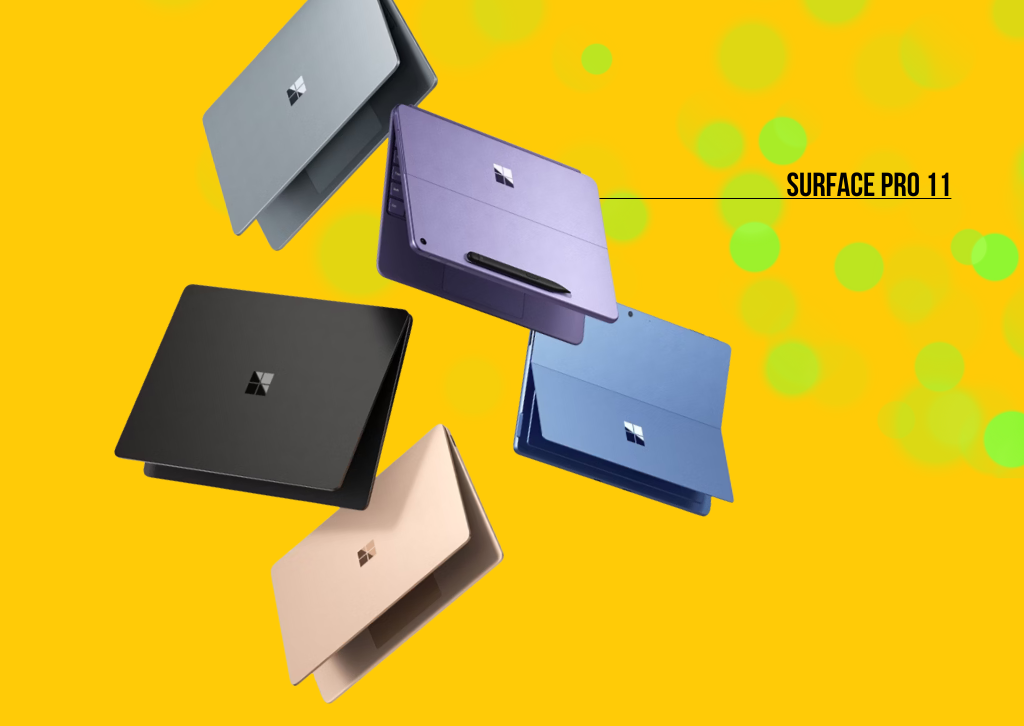
Microsoft’s Surface Pro 11 represents the pinnacle of the company’s tablet-first philosophy, now in its 11th generation. This 2025 model marks a significant departure from previous iterations, featuring powerful ARM-based processors that deliver exceptional performance while maintaining all-day battery life.
Key Specifications:
Processor Options:
- Qualcomm Snapdragon X Plus (10-core, 3.4 GHz)
- Qualcomm Snapdragon X Elite (12-core, up to 4.0 GHz)
Display:
- 12-inch: 2,196 × 1,464 pixels, 90Hz refresh rate
- 13-inch: 2,880 × 1,920 pixels, 120Hz refresh rate
- Optional OLED display available on select configurations
- 3:2 aspect ratio optimized for productivity
Memory and Storage:
- 16GB or 32GB LPDDR5x RAM (depending on model)
- 256GB, 512GB, or 1TB SSD storage options
Battery Life:
- Up to 14 hours (13-inch model) or 16 hours (12-inch model) of local video playback
- Fast charging via USB-C or Surface Connect
Dimensions and Weight:
- 12-inch: 27.4 x 19 x 0.78 cm, 686 grams
- 13-inch: 28.7 x 20.9 x 0.93 cm, 895 grams
Notable Features:
The Surface Pro 11 introduces Microsoft’s Copilot+ PC experiences, leveraging the 45 TOPS Neural Processing Unit (NPU) for AI-accelerated tasks. The device supports Windows Studio Effects for enhanced video calls, including automatic framing, background blur, and eye contact correction.
The optional Surface Pro Flex Keyboard ($350) can operate wirelessly when detached from the tablet, enabling new usage scenarios where the keyboard sits on your lap while the screen is positioned elsewhere. The device also supports the Surface Slim Pen for precise digital ink input.
One of the most significant improvements in the 2025 model is the enhanced app compatibility. Microsoft’s new Prism emulation layer delivers much better x86 app compatibility compared to previous Windows on ARM devices, though some performance compromises remain for non-native applications.
Pricing Configuration:
- Base model (Snapdragon X Plus, 16GB RAM, 256GB SSD): $999
- OLED model (Snapdragon X Elite, 16GB RAM, 512GB SSD): $1,499
- Surface Pro Flex Keyboard and Slim Pen bundle: $449
Lenovo Yoga 9i 2-in-1 Aura Edition (2025): Premium Performance Meets Elegant Design
Starting Price: $1,459
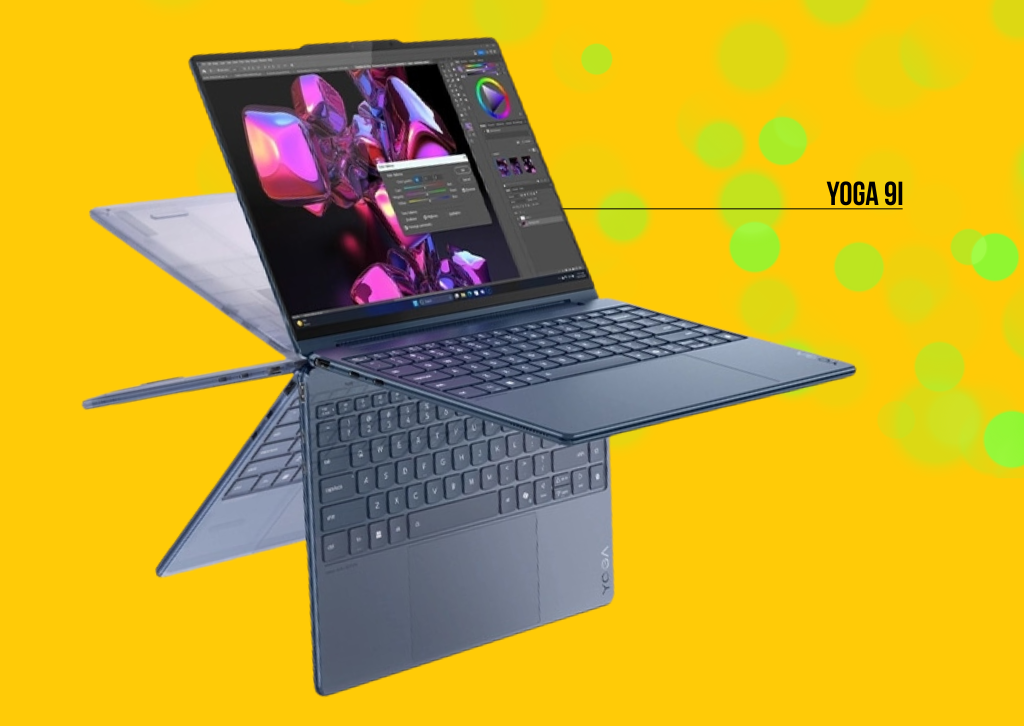
Lenovo’s flagship 2-in-1 convertible enters its tenth generation with significant improvements in performance, display quality, and AI integration. The Yoga 9i 2-in-1 Aura Edition represents the company’s premium offering, targeting creative professionals and demanding users who need versatile, high-performance computing.
Key Specifications:
Processor Options:
- Intel Core Ultra 5 256V (6 performance cores, 8 efficiency cores)
- Intel Core Ultra 7 258V (8 performance cores, 8 efficiency cores, up to 4.8 GHz boost)
Display:
- 14-inch 2.8K (2880 × 1800) OLED touchscreen
- 120Hz adaptive refresh rate
- 100% DCI-P3 color gamut
- 1,100 nits peak brightness
- Dolby Vision HDR support
Memory and Storage:
- 16GB or 32GB LPDDR5x-7467 RAM
- 512GB, 1TB, or 2TB PCIe 4.0 SSD
Graphics:
- Intel Arc 140V integrated graphics (with Core Ultra 7)
- Intel Arc 130V integrated graphics (with Core Ultra 5)
Battery and Charging:
- Up to 15 hours of battery life
- 75Wh battery
- 65W fast charging
Dimensions and Weight:
- 12.44 x 8.66 x 0.65 inches
- 2.91 pounds
Notable Features:
The Yoga 9i 2-in-1 Aura Edition introduces Lenovo’s new AI-enhanced features, including Smart Note application that automatically launches when the included Yoga Pen approaches the screen. The device features a rotating soundbar hinge that provides superior audio quality in all usage modes.
The laptop’s “cosmic blue” colorway offers a distinctive aesthetic that changes appearance under different lighting conditions. The precision-engineered 360-degree hinge mechanism has been tested for thousands of conversions, ensuring long-term reliability.
AI features include attention mode to reduce distractions and shield mode to protect privacy during video calls. The 5MP webcam with infrared support provides excellent video quality and supports Windows Hello facial recognition.
The device achieves impressive performance metrics, with Geekbench 6 scores of 2,751 (single-core) and 11,059 (multi-core), putting it among the top performers in the convertible laptop category.
Pricing Configuration:
- Core Ultra 5, 16GB RAM, 512GB SSD: $1,459
- Core Ultra 7, 32GB RAM, 1TB SSD: $1,749 (frequently available for $1,499)
HP OmniBook Ultra Flip 14 (2025): The Spectre x360 Evolution
Starting Price: $1,449
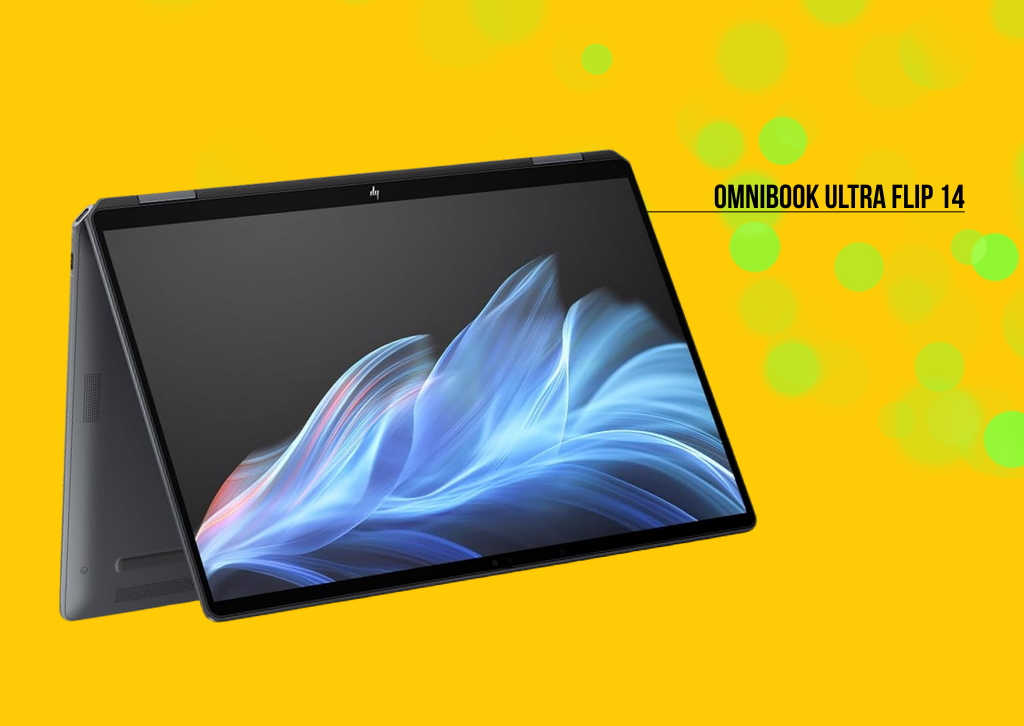
HP’s OmniBook Ultra Flip 14 represents the evolution of the beloved Spectre x360 series, now rebranded under the OmniBook lineup. This premium convertible maintains the elegant design philosophy of its predecessor while incorporating the latest Intel Lunar Lake processors and enhanced AI capabilities.
Key Specifications:
Processor Options:
- Intel Core Ultra 5 226V (4 performance cores, 4 efficiency cores)
- Intel Core Ultra 7 258V (4 performance cores, 8 efficiency cores)
- Intel Core Ultra 9 288V (4 performance cores, 8 efficiency cores, up to 5.1 GHz boost)
Display:
- 14-inch 3K (2880 × 1800) OLED touchscreen
- 120Hz variable refresh rate
- 500 nits peak brightness
- Corning Gorilla Glass 5 protection
- Support for 4096 pressure sensitivity levels
Memory and Storage:
- 16GB or 32GB LPDDR5x RAM
- 512GB, 1TB, or 2TB PCIe 4.0 SSD
Graphics:
- Intel Arc 140V integrated graphics
- Support for XeSS upscaling in supported games
Connectivity:
- 3 USB-C Thunderbolt 4 ports
- 1 USB-A 3.2 port
- 3.5mm audio combo jack
- Wi-Fi 7 support
- Bluetooth 5.4
Battery and Charging:
- Up to 16 hours and 15 minutes battery life
- Fast charging capability
- USB-C Power Delivery support
Dimensions and Weight:
- 12.32 x 8.83 x 0.63 inches
- 2.98 pounds
Notable Features:
The OmniBook Ultra Flip 14 features HP’s signature haptic touchpad, providing precise feedback without mechanical clicking. The device supports the HP 705 Rechargeable Multi-Pen for creative work and note-taking.
AI features include HP’s Poly Camera Pro technology for enhanced video calling, along with Windows Studio Effects for automatic background blur and noise cancellation. The 9MP webcam with infrared support delivers exceptional video quality for professional communications.
The laptop’s thermal design enables sustained performance without excessive fan noise, making it suitable for demanding creative workflows including video editing and 3D rendering.
Pricing Configuration:
- Core Ultra 5, 16GB RAM, 512GB SSD: $1,449
- Core Ultra 7, 16GB RAM, 1TB SSD: $1,599
- Core Ultra 9, 32GB RAM, 2TB SSD: $2,150
Samsung Galaxy Book5 Pro 360 (2025): The Android Ecosystem Champion
Starting Price: $1,699
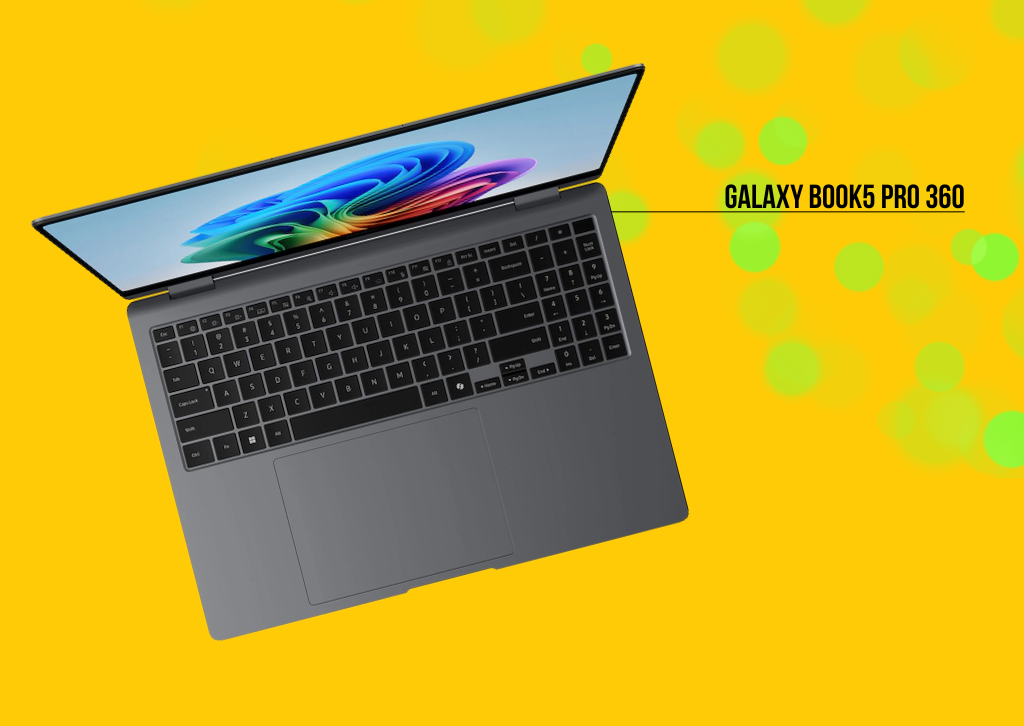
Samsung’s Galaxy Book5 Pro 360 represents the company’s flagship 2-in-1 offering, designed specifically for users invested in the Samsung Galaxy ecosystem. This device excels at seamless integration with Samsung smartphones and tablets, while delivering premium performance and display quality.
Key Specifications:
Processor Options:
- Intel Core Ultra 5 226V (Series 2)
- Intel Core Ultra 7 256V (Series 2, up to 47 TOPS NPU performance)
Display:
- 16-inch Dynamic AMOLED 2X touchscreen
- 3K (2880 × 1800) resolution
- 120Hz adaptive refresh rate
- Anti-reflective coating with Corning Gorilla Glass DX
- Support for S Pen with 4096 pressure levels
Memory and Storage:
- 16GB or 32GB LPDDR5x RAM
- 512GB or 1TB PCIe 4.0 SSD
Graphics:
- Intel Arc integrated graphics
Connectivity:
- 2 USB-C Thunderbolt 4 ports
- 1 USB-A 3.2 port
- HDMI 2.1 port
- MicroSD card reader
- 3.5mm audio combo jack
- Wi-Fi 7 support
Battery and Audio:
- Up to 25 hours battery life (16-inch model)
- Fast charging: 35% in 30 minutes
- Quad-speaker system with larger 38mm woofers
- Dolby Atmos support
Dimensions and Weight:
- 355.3 x 252 x 12.7 mm
- 1.69 kg (3.73 pounds)
Notable Features:
The Galaxy Book5 Pro 360’s standout feature is its deep integration with the Samsung ecosystem. Phone Link functionality allows users to mirror smartphone notifications, answer calls, and access mobile photos directly on the laptop. Quick Share enables seamless file transfer between Galaxy devices.
The device supports Auto Hotspot, automatically connecting to a paired Galaxy smartphone’s data connection when Wi-Fi is unavailable. AI Select feature allows users to circle, highlight, or click on screen elements for instant information or purchasing options.
The included S Pen magnetically attaches to the laptop and supports natural writing with enhanced tilt sensitivity. The device’s 1080p webcam with staggered HDR ensures professional video quality for remote work and collaboration.
Pricing Configuration:
- Core Ultra 5, 16GB RAM, 512GB SSD: $1,699
- Core Ultra 7, 16GB RAM, 1TB SSD: $1,999
ASUS Vivobook 16 Flip (2025): The Value-Performance Champion
Starting Price: $999 (frequently available for $999-$1,019)
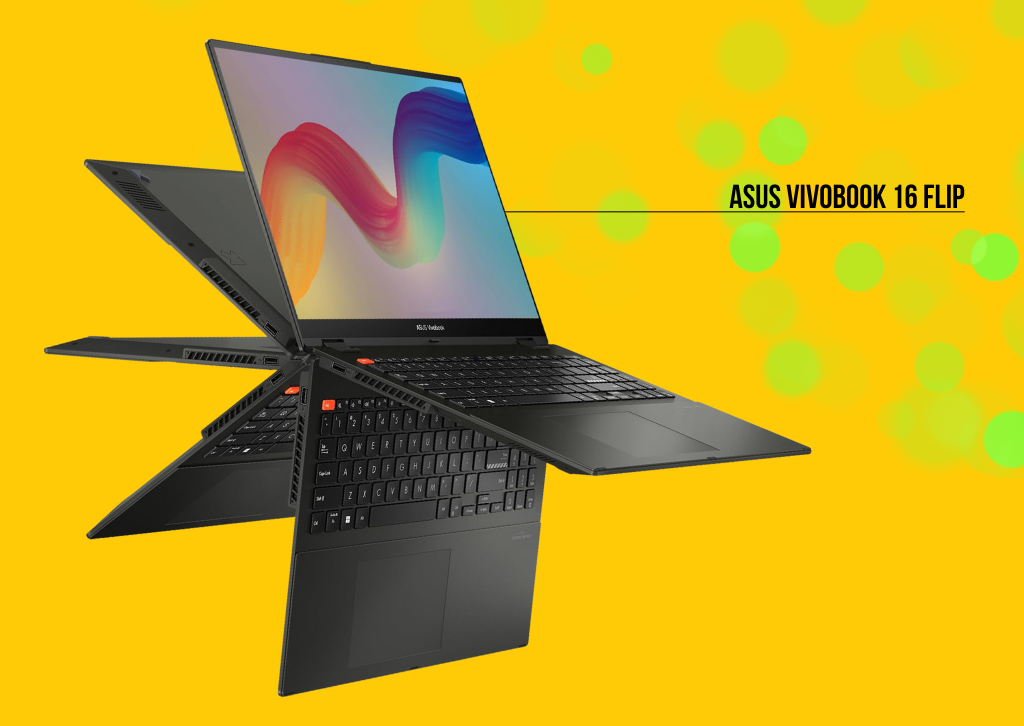
ASUS’s Vivobook 16 Flip represents exceptional value in the 2-in-1 market, offering premium features typically found in more expensive devices while maintaining an accessible price point. This 16-inch convertible targets users who need a large screen for productivity without sacrificing portability.
Key Specifications:
Processor:
- Intel Core Ultra 7 258V (Lunar Lake, 8 cores)
- 47 TOPS Neural Processing Unit for AI acceleration
Display:
- 16-inch 3K (2880 × 1800) ASUS Lumina OLED touchscreen
- 120Hz adaptive refresh rate
- 500 nits peak brightness
- 100% DCI-P3 color gamut support
- Support for ASUS Pen 2.0 (sold separately)
Memory and Storage:
- 32GB LPDDR5x memory-on-package (non-upgradeable)
- 1TB PCIe 4.0 SSD
Graphics:
- Intel Arc 140V integrated graphics
- Support for XeSS upscaling
Connectivity:
- 1 Thunderbolt 4 port
- 1 USB 3.2 Gen 2 Type-C port
- 1 USB 3.2 Gen 2 Type-A port
- 1 USB 2.0 port
- HDMI 2.1 port
- 3.5mm audio combo jack
Battery and Performance:
- Up to 22 hours battery life
- 75Wh battery capacity
- Fast charging support
Dimensions and Weight:
- 13.98 x 9.62 x 0.67-0.69 inches
- 3.9 pounds
Notable Features:
The Vivobook 16 Flip meets MIL-STD-810H military standards for durability, ensuring reliable operation in challenging environments. The device’s large 16-inch display makes it ideal for multitasking, content creation, and media consumption.
ASUS IceCool thermal technology utilizes an 8mm heat pipe and IceBlade fan design for efficient heat dissipation while maintaining quiet operation. The laptop supports Windows Hello facial recognition and fingerprint authentication for secure access.
The device’s audio system features Harman Kardon certification and Dolby Atmos support, delivering impressive sound quality for a laptop in this price range.
Pricing Configuration:
- Single configuration: Core Ultra 7, 32GB RAM, 1TB SSD: $1,349 (frequently discounted to $999-$1,019)
Performance Analysis: Benchmarks and Real-World Usage
Processing Power Comparison
The 2025 crop of 2-in-1 laptops showcases two primary processor architectures: Intel’s Lunar Lake Core Ultra Series 2 and Qualcomm’s Snapdragon X series. Each offers distinct advantages:
Intel Lunar Lake processors excel in:
- x86 application compatibility
- Single-threaded performance
- Gaming performance with Arc integrated graphics
- Professional software support
Qualcomm Snapdragon X processors excel in:
- Power efficiency and battery life
- AI processing capabilities
- Fanless operation in many devices
- Instant-on connectivity
Battery Life Performance
2025’s 2-in-1 laptops achieve impressive battery life figures:
- Microsoft Surface Pro 11: 14-16 hours
- Lenovo Yoga 9i 2-in-1: Up to 15 hours
- HP OmniBook Ultra Flip 14: Up to 16.25 hours
- Samsung Galaxy Book5 Pro 360: Up to 25 hours
- ASUS Vivobook 16 Flip: Up to 22 hours
These figures represent significant improvements over previous generations, largely due to more efficient processors and optimized power management.
Display Quality Assessment
All featured devices offer high-quality OLED displays with the following characteristics:
- Color accuracy: 100% DCI-P3 coverage standard
- Brightness: 500-1,100 nits peak
- Refresh rates: 120Hz adaptive
- Touch responsiveness: Sub-1ms latency
- Stylus support: 4096+ pressure levels
Creative and Professional Applications
Digital Art and Design
For digital artists and designers, the combination of OLED displays and precision stylus support makes these devices compelling alternatives to dedicated drawing tablets. The Lenovo Yoga 9i and Samsung Galaxy Book5 Pro 360 particularly excel in this area, offering color-accurate displays and responsive pen input.
Business and Productivity
The versatile form factors make these devices ideal for business users who need to adapt to different work environments. Presentation mode, touch input for signing documents, and excellent video calling capabilities address key business requirements.
Education and Research
Students benefit from the note-taking capabilities, long battery life, and ability to use these devices across different study environments – from traditional desk work to casual reading in tablet mode.
Connectivity and Ecosystem Integration
Universal Standards
All featured devices support modern connectivity standards:
- USB-C Thunderbolt 4 for high-speed data transfer and display connectivity
- Wi-Fi 7 for fast wireless networking
- Bluetooth 5.4 for accessory connectivity
Ecosystem-Specific Features
Microsoft Surface Pro 11 integrates seamlessly with Microsoft 365 services and Windows ecosystem applications.
Samsung Galaxy Book5 Pro 360 offers unique advantages for Samsung smartphone users, including seamless file sharing, notification mirroring, and automatic hotspot connectivity.
Other manufacturers provide broader compatibility across different smartphone and cloud service platforms.
Future-Proofing and AI Integration
Copilot+ PC Capabilities
Most 2025 models qualify as Copilot+ PCs, featuring dedicated Neural Processing Units (NPUs) that enable:
- Local AI processing for enhanced privacy
- Real-time language translation
- Advanced photo and video editing
- Intelligent power management
- Enhanced video calling features
Software Compatibility
The transition to ARM-based processors (particularly with Microsoft Surface) requires consideration of software compatibility. While most common applications now offer native ARM versions, specialized professional software may still require x86 emulation, potentially impacting performance.
Purchasing Considerations and Value Analysis
Price-to-Performance Ratios
Best Overall Value: ASUS Vivobook 16 Flip at $999-$1,019 offers exceptional specifications including 32GB RAM and 1TB storage.
Premium Choice: Lenovo Yoga 9i 2-in-1 Aura Edition provides the best balance of performance, build quality, and features at $1,459-$1,749.
Ecosystem Integration: Samsung Galaxy Book5 Pro 360 justifies its $1,699 starting price for users invested in the Samsung ecosystem.
Professional Focus: HP OmniBook Ultra Flip 14 targets business users with superior build quality and support at $1,449-$2,150.
Innovation Leader: Microsoft Surface Pro 11 offers the most tablet-like experience with detachable keyboard functionality starting at $999.
Configuration Recommendations
For most users, mid-tier configurations offer the best value:
- 16GB RAM (sufficient for most use cases)
- 512GB-1TB SSD (balances storage needs with cost)
- Core Ultra 7 processors (optimal performance-efficiency balance)
Warranty and Support Considerations
- Microsoft: Standard one-year warranty with optional Microsoft Complete coverage
- Lenovo: One-year warranty with Premier Support options
- HP: One-year warranty with Care Pack extensions available
- Samsung: One-year warranty with Samsung Care+ options
- ASUS: One-year warranty with Perfect Warranty programs
Accessories and Expandability
Essential Accessories
Styluses: All devices support active styluses, though quality and features vary. The included Samsung S Pen and optional Lenovo Yoga Pen offer the best experiences.
Keyboards: Detachable keyboards (Surface Pro) or laptop keyboards (all others) provide different typing experiences. The Surface Pro requires separate keyboard purchase, while others include integrated keyboards.
Docking Solutions: USB-C docking stations enable desktop-like connectivity for office use.
Storage Expansion
Most devices offer limited internal upgradability due to their thin designs. Cloud storage and external USB-C storage solutions provide expansion options.
Conclusion: Choosing the Right 2-in-1 for Your Needs
The 2025 generation of 2-in-1 laptops represents a maturation of the convertible concept, offering genuine laptop-class performance in versatile form factors. Each device in our comparison serves different user needs:
Choose the Microsoft Surface Pro 11 if you prioritize portability and tablet-first usage, particularly for note-taking, document review, and light creative work.
Select the Lenovo Yoga 9i 2-in-1 Aura Edition for the best overall balance of performance, build quality, and features, especially for creative professionals and power users.
Opt for the HP OmniBook Ultra Flip 14 if you need premium build quality with strong business features and long-term reliability.
Consider the Samsung Galaxy Book5 Pro 360 if you’re invested in the Samsung ecosystem and need excellent display quality with seamless smartphone integration.
Pick the ASUS Vivobook 16 Flip for exceptional value, offering premium specifications at an accessible price point, ideal for students and budget-conscious professionals.
The 2-in-1 laptop category has evolved beyond compromise devices to become genuine alternatives to traditional laptops, offering unique advantages in versatility and user experience. With performance that rivals dedicated laptops, all-day battery life, and innovative AI features, these devices represent the future of mobile computing – where the line between tablet and laptop continues to blur in favor of user flexibility and enhanced productivity.
Whether you’re a creative professional, business user, student, or technology enthusiast, 2025’s 2-in-1 laptops offer compelling options that can adapt to your changing needs while delivering the performance required for modern computing tasks.








Computers
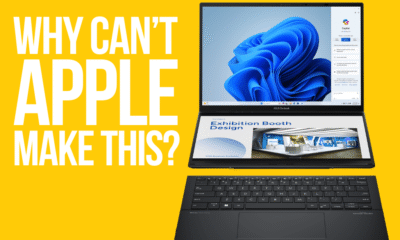
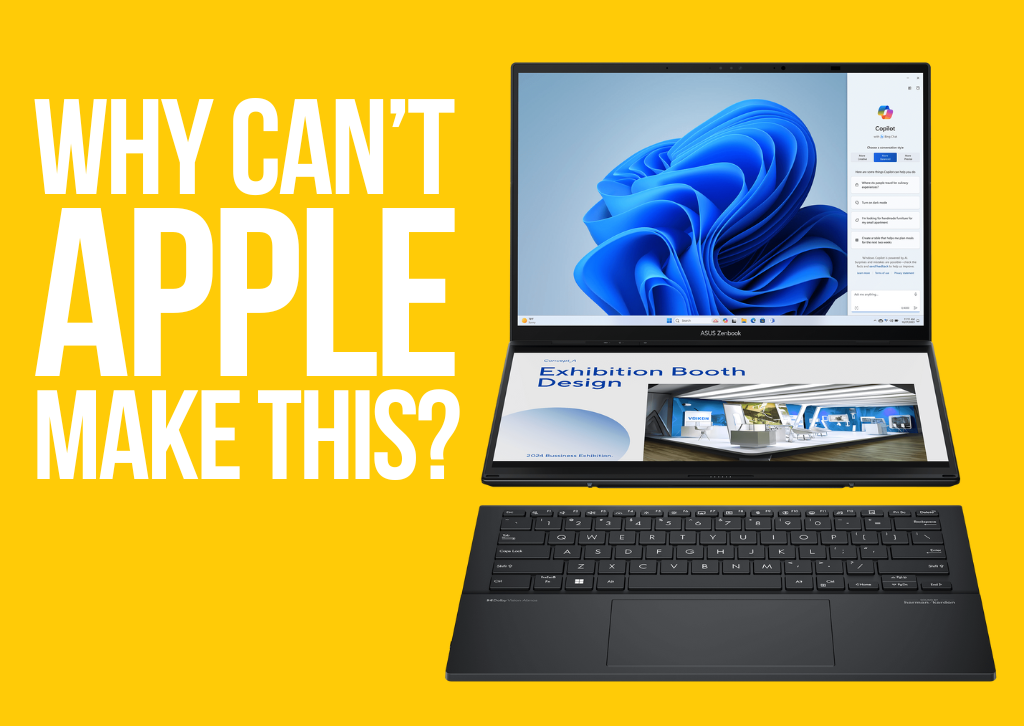
Why Can’t Apple Make This?
An Unrepentant Mac User Finds Innovation on the Other Side of the Aisle
I need to confess something that, just a few short years ago, would have felt like a sacrilege punishable by an immediate Genius Bar ban: I bought an Asus ZenBook Duo.
I am, and have always been, an Apple user. A true believer. My ecosystem is fully saturated—iPhone 17 Pro Max, Apple Watch Ultra 2, AirPods Max, and a 16-inch M3 Max MacBook Pro sitting right beside my desk, sleek and silver and, frankly, boring. My computing life has been defined by the walled garden, prioritizing stability, seamless integration, and the undeniably superior performance of the M-series chips. I bought into the idea that Apple’s design philosophy—the relentless pursuit of simplicity—was inherently the most advanced.
But the Mac has changed. Not in performance—the silicon is still mind-blowing—but in philosophy. It has become safe, predictable, and stubbornly resistant to the kind of radical experimentation that defined the company for decades.
This is where the ZenBook Duo came in. I ordered it out of pure, morbid curiosity, fully intending to write a takedown piece on the supposed gimmicks of PC hardware. What I received was a machine that fundamentally changed how I work. And the moment I deployed that secondary screen, tilting up seamlessly from the chassis, the question I’ve been wrestling with for weeks solidified into a frustrated scream: Why can’t Apple make this?
The form factor of the ZenBook Duo is, simply put, breathtakingly innovative.
The Revelation: Two Screens Are Better Than One
Let’s be clear: I am not a PC guy. I still cringe a little when I click the Start menu. But the hardware itself—the chassis, the hinge, the dual 14-inch OLED displays—is a masterclass in portable engineering. This is not a concept demo; this is a fully realized, mass-market device shipping today in 2025.
When you open the ZenBook Duo, the primary screen is immediately apparent, but the magic happens below. The keyboard is detachable, covering a second, full-sized display. When you undock the keyboard, that lower screen rises slightly, positioned at a comfortable angle thanks to a sophisticated hinge mechanism. You instantly have two full-sized screens, one above the other, in a single, perfectly balanced laptop chassis.
My entire Mac workflow relies on external monitors—a massive Studio Display flanked by a secondary vertical monitor—because macOS is a window-management nightmare, and complex tasks require massive screen real estate. The ZenBook Duo gives me 80% of that external monitor setup, fully integrated, with total portability.
Use Case Examples:
- Coding/Development: Main screen for IDE (VS Code), Secondary screen for documentation and testing terminal output.
- Video Editing (DaVinci Resolve/Adobe Premiere): Main screen for the timeline and preview, Secondary screen for media bins and scopes.
- Writing/Research: Main screen for the article I’m drafting, Secondary screen for half a dozen research tabs and note-taking apps.
It is a productivity cheat code. The argument against it—that the keyboard is pushed to the edge, or the second screen is too small—falls apart instantly when you see the tangible benefits. This isn’t a minor iteration; it’s a paradigm shift in laptop design, prioritizing function and workflow in a way the MacBook chassis has simply refused to do.
The Stagnation of the Silver Slab
Apple’s greatest internal innovation—the M-series chips—has ironically masked a deep, fundamental external stagnation. The current MacBook Pro design, while refined, is essentially an evolved version of the 2021 chassis, which itself was an attempt to fix the mistakes of the 2016 model. It’s a gorgeous, robust, CNC-milled aluminum slab. It is functionally perfect. It is aesthetically done.
But when did “done” become the death knell of a company built on disruption?
While Apple was busy making the M3 chip 20% faster than the M2, companies like Asus, Dell (with their Concept Luna experiments), and even Lenovo (with their flexible screens) were fundamentally rethinking the relationship between user and machine. They are innovating in form factor, input, and display technology.
For an Apple user, the ZenBook Duo highlights the most glaring, embarrassing deficiency in the modern Mac lineup, one that has become utterly indefensible in 2025: The complete lack of a touch screen.
The Indefensible Truth: No Touch Screen
Today, in 2025, you cannot purchase a MacBook with a touch-sensitive display.
The argument, famously attributed to Steve Jobs and his “gorilla arm” theory (the fatigue of constantly reaching up to touch a vertical screen), feels prehistoric now. It’s an argument rooted in a 2000s desktop PC paradigm, not a modern, mobile computing environment.
Look at the evidence:
- The iPad Pro is a Laptop: Apple has poured massive resources into making the iPad Pro a laptop replacement. They created the Magic Keyboard, a $300 accessory that makes the iPad look and function exactly like a laptop. When you use an iPad, you effortlessly alternate between the trackpad/keyboard and direct touch. It is a hybrid experience.
- The Touch Bar Proved They’re Open to Touch: The ill-fated Touch Bar, while a deeply flawed solution, demonstrated that Apple was willing to introduce a touch-sensitive OLED surface into the keyboard area. They just put it in the most useless possible location.
- The Competition Has Mastered It: Every serious competitor—the Microsoft Surface Laptop, Dell XPS line, HP Spectre—offers high-quality, reliable, beautiful touch screens. It is no longer a gimmick; it is an expected, baseline feature of a premium laptop.
Apple’s excuse has always been that touch input is for the iPad, and cursor input is for the Mac, and the two shall never meet. This is an artificial, self-imposed limitation designed to protect the highly lucrative iPad Pro line from cannibalization. They are intentionally holding back the Mac because they are afraid the perfect, innovative laptop would eat into the sales of another one of their products.
The fact is, a Mac with a touch screen wouldn’t make the iPad obsolete; it would make the Mac complete. Imagine tapping a small macOS button, intuitively scrolling a long webpage, or using the beautiful, responsive display for quick drag-and-drop operations without lifting your hand to the trackpad. The gorilla arm argument isn’t about user comfort; it’s about corporate ledger protection.
The Dual-Screen Denial: A Workaround, Not a Solution
When I praise the ZenBook Duo, Apple loyalists inevitably bring up Sidecar or Universal Control.
“You can just set your iPad next to your MacBook and use it as a second screen!”
Yes, you can. And it’s a brilliant piece of Apple software engineering. But it is, emphatically, a workaround.
The Sidecar setup is a multi-device mess:
- 💻 You have to carry two expensive devices (MacBook + iPad).
- 💻 You have two batteries to charge.
- 💻 You need desk space to lay both devices flat.
- 💻 You have two separate ecosystems trying to communicate.
The ZenBook Duo solves this in one, elegant, fully integrated chassis. It is a single purchase, a single charger, and a single hinged piece of aluminum. It delivers a superior, instant, and uncluttered dual-screen experience.
Apple’s philosophy—to use two different, high-margin products to achieve a simple workflow—is cynical. Competitors look at a problem (“Users need more screen space on the go”) and build a single product to solve it. Apple looks at the same problem and says, “We already have two products that can solve this if you buy both.”
The Fear of Cannibalization vs. The Call for Leadership
So, why are they so far behind? It comes down to one of two possibilities: Arrogance or Fear.
The Arrogance Thesis: Apple truly believes their approach is the best, and any non-standard form factor is a gimmick that would sully the purity of the Mac experience. They look at machines like the Duo or the foldable PCs and dismiss them as inelegant or unnecessary. This is the company that once shipped a single USB-C port and declared, “You don’t need ports,” only to walk it back years later. They are historically prone to telling the market what it wants, rather than listening.
The Fear Thesis (The more likely): Apple is terrified of the perfect laptop. A dual-screen, touch-enabled MacBook Pro running M-series chips would be a category killer. It would instantly render the existing 16-inch MacBook Pro chassis look archaic and, more critically, it would decimate the sales of the high-end iPad Pro. The internal conflict between the Mac team and the iPad team seems to have created a stalemate, where Mac innovation is sacrificed to preserve the iPad’s market share.
The Challenge to Cupertino
Apple’s M-series chips have the thermal efficiency and battery life to create a dual-screen device superior to anything else on the market. An M4 chip in a ZenBook-like chassis could run for 15 hours straight, barely breaking a sweat, whereas the current PC versions require more cooling and power consumption. The hardware foundation is there. The design talent is there.
What’s missing is the audacity.
The mantra of “Think Different” seems to have been replaced by “Ship Familiar.” The MacBook is no longer a tool of disruption; it is a tool of perfection, but a perfection defined by limits set a decade ago.
I miss being excited by a new Mac announcement. The latest unveils are a series of iterative chip bumps and port confirmations. My heart now beats a little faster when Asus, Lenovo, or Dell announces their next experiment.
Apple, it’s time to stop protecting your past. The market is moving on. The future of the laptop is hybrid, it’s touch-sensitive, and it’s multi-display. You have the power to build the definitive version of this machine—a computer that could genuinely feel like the next decade of personal computing.
But for now, I’m using my Asus ZenBook Duo, a Windows machine that feels more like the future than my $3,500 MacBook Pro. And every single time I snap that keyboard off and get twice the screen real estate, I look at the beautiful, stagnant aluminum slab beside me and ask again: Why can’t Apple make this? It’s a tragedy of innovation deferred.
The one place for in depth reviews and tech articles
Computers
The Innovation Deficit: How Apple Surrendered Its Revolutionary Edge to Bolder Competitors

For years, Apple didn’t just lead the tech industry—it reimagined it. The company that gave us the iPhone, MacBook Air, and iPad didn’t iterate on existing ideas; it created entirely new categories that fundamentally changed how we interact with technology. But somewhere between the passing of Steve Jobs and today’s quarterly earnings calls, Apple transformed from a company that thought different into one that thinks safe. While competitors push boundaries with foldable devices, AI-integrated hardware, and genuinely novel form factors, Apple has settled into a predictable rhythm of marginal upgrades wrapped in premium pricing.
The contrast has never been starker, and for longtime Apple enthusiasts, it’s becoming increasingly difficult to justify the brand loyalty that once seemed unshakeable.
The M-Chip Monotony: When Your Best Innovation Is What’s Inside
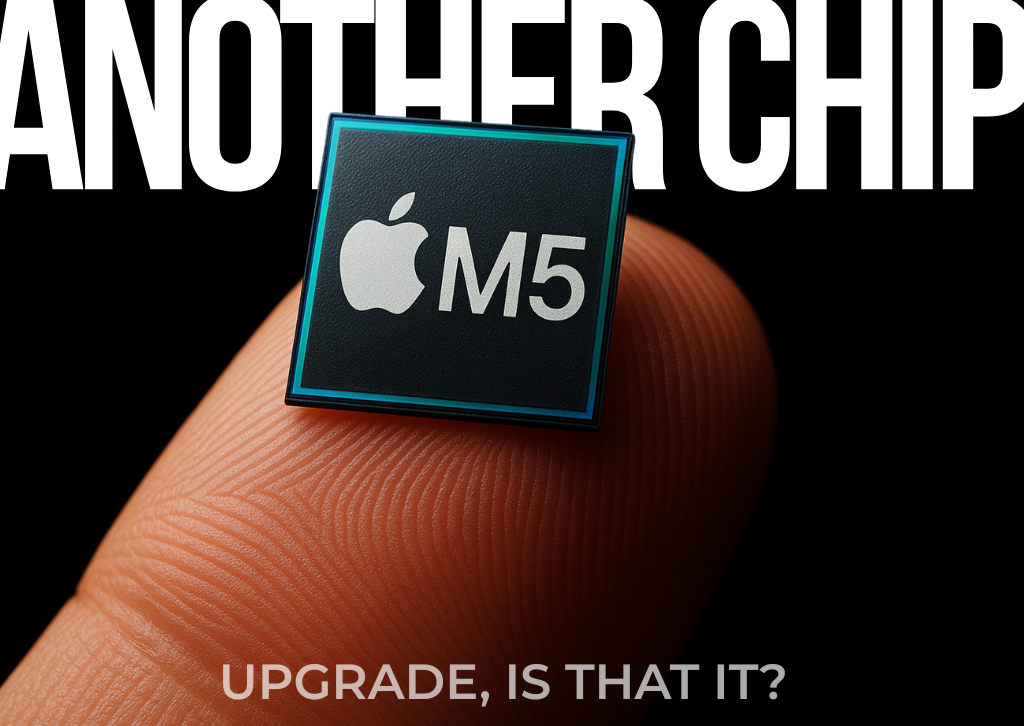
Apple’s transition to its own silicon marked a genuine technological achievement. The M-series chips deliver impressive performance and efficiency, representing years of engineering excellence. But here’s the problem: a faster processor doesn’t constitute innovation when the device housing it remains fundamentally unchanged.
Consider the recent iPad lineup refresh with the M5 chip. Yes, it’s more powerful. Yes, benchmarks will show impressive gains. But what problem does this solve for actual users? The previous generation was already overpowered for the software ecosystem Apple provides. iPadOS remains frustratingly limited, unable to take full advantage of the hardware capabilities underneath. It’s like installing a Formula 1 engine in a minivan and calling it revolutionary.

The same pattern repeats across the MacBook line. The latest MacBook Pro arrives with the M5 chip, but only in a 14-inch configuration at launch—a size that feels increasingly cramped for professional workflows in an era where screen real estate directly correlates to productivity. Many professionals and creative users want larger displays for video editing, design work, and multitasking. The industry has moved toward recognizing that serious work often demands serious screen space, yet Apple seems content to delay larger options, forcing users to wait or compromise.
This is the innovation strategy of a company playing it safe: take the same device, swap the chip, adjust the marketing materials, and ship it. There’s no reimagining of what these devices could be, no bold bets on new form factors, no willingness to take the risks that once defined Apple.
The Apple Watch: Treading Water in a Sea of Possibilities
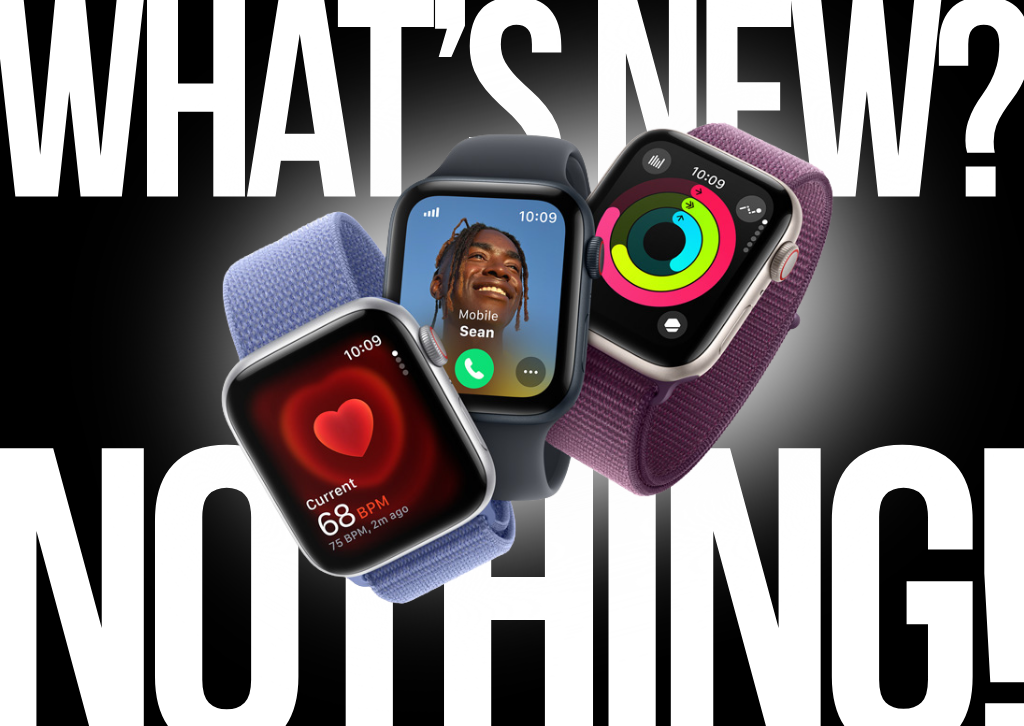
When the Apple Watch launched in 2015, it promised to do for wearables what the iPhone did for smartphones. Nearly a decade later, it remains essentially the same rectangular screen strapped to your wrist, with incremental sensor additions and slightly refined cases.
Compare this to the innovation happening elsewhere in wearables. Companies are experimenting with circular displays, advanced health monitoring that goes beyond heart rate and blood oxygen, and integration with broader smart home ecosystems. Samsung’s Galaxy Watch line has pushed into new territory with rotating bezels, longer battery life, and more open app ecosystems. Google’s Pixel Watch brings together Fitbit’s health tracking heritage with deeper Android integration.
Meanwhile, Apple’s updates feel like ticking boxes on a spec sheet rather than solving real problems. A slightly faster processor. A minor redesign. Another health sensor that works only in limited circumstances. Where’s the innovation that makes you say “I need to upgrade”? Where’s the feature that fundamentally changes how we think about wearable technology?
The Apple Watch has become the perfect metaphor for modern Apple: competent, polished, expensive, and utterly predictable.
The Foldable Future Apple Refuses to Embrace
Perhaps nowhere is Apple’s innovation deficit more glaring than in its complete absence from the foldable device market. While competitors have spent years iterating, improving, and refining foldable technology, Apple watches from the sidelines, apparently content to let others define the future of mobile computing.
Huawei’s Mate X series has evolved through multiple generations, with devices like the Mate X5 and Mate XT Ultimate Design offering stunning displays that fold seamlessly, providing tablet-sized screens in phone-sized packages. These aren’t concept devices or expensive experiments—they’re increasingly mainstream products that millions of users have adopted.
Samsung’s Galaxy Z Fold and Z Flip lines have matured considerably, with the latest iterations featuring durable hinges, minimal creasing, and software optimized for multitasking across multiple screen configurations. The Galaxy Z Fold 7 represents the culmination of years of refinement, offering a genuinely versatile device that adapts to different use cases throughout the day.
Google has entered the space with the Pixel Fold, bringing its computational photography expertise and clean Android experience to a foldable form factor that feels thoughtfully designed rather than gimmicky.
These devices represent genuine innovation—the willingness to experiment with new form factors that might fundamentally change how we use technology. They’re not perfect, but they represent progress, evolution, and most importantly, courage.
Apple, meanwhile, releases rumors and patents about foldable devices while shipping yet another rectangular glass slab. The iPhone remains trapped in a design language established over a decade ago, with changes so incremental that cases from multiple generations often remain compatible. Where Samsung users can choose between traditional smartphones or devices that unfold into tablets, Apple users get to choose between three sizes of essentially the same phone.
The message is clear: Apple will wait until foldables are safe, proven, and commodified before entering the market. This is the opposite of the company that launched the iPhone when the entire industry thought smartphones needed keyboards.
Vision Pro: A Billion-Dollar Miscalculation

If Apple’s incremental updates demonstrate a lack of ambition, the Vision Pro represents ambition utterly disconnected from market reality. Priced at $3,499, Apple’s entry into mixed reality feels like a product designed by engineers who never asked whether anyone actually wanted it.
The Vision Pro is undeniably impressive from a technical standpoint. The display resolution is remarkable, the eye-tracking technology works well, and the industrial design maintains Apple’s premium aesthetic. But none of this addresses the fundamental question: what problem does this solve that justifies its existence?
Users sit alone, isolated by the headset, navigating interfaces that work better on traditional screens. The device is heavy, uncomfortable for extended use, and prohibitively expensive for all but the most devoted early adopters or professionals with specific use cases. The app ecosystem remains sparse, and the use cases that would justify the investment remain elusive.
Meanwhile, Meta took a completely different approach with Ray-Ban Meta smart glasses. Rather than trying to replace our devices with an isolated VR experience, Meta created glasses that augment reality while maintaining social connection and normal interactions. You can capture photos and videos from your perspective, take calls, listen to music, and access AI assistance—all while still engaging with the world around you. They look like normal glasses, cost a fraction of the Vision Pro’s price, and solve actual problems people have in their daily lives.
The contrast couldn’t be clearer. Apple swung for the fences with a product virtually no one needs at a price almost no one can afford. Meta created something genuinely useful, accessible, and integrated into normal life. Which approach sounds more like the revolutionary Apple of old?
The iPhone’s Incremental Infinity
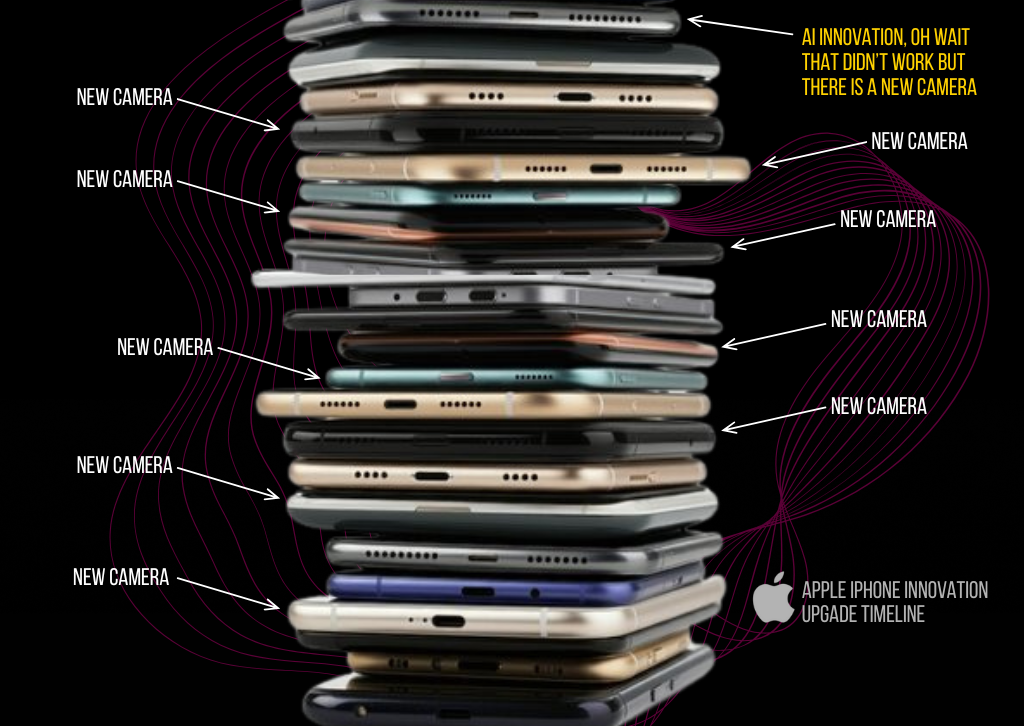
Perhaps nothing exemplifies Apple’s innovation problem more than the iPhone’s evolution over the past decade. Each year brings a new model with marginal improvements presented as revolutionary breakthroughs. A slightly better camera system. A modestly faster processor. A minor design tweak. And that’s about it.
The iPhone 17 Pro cameras are excellent—among the best in the industry. But so were the cameras on the iPhone 16 Pro. And the 15 Pro before that. The improvements between generations have become so subtle that most users would struggle to identify which phone took which photo in a blind comparison.
Compare this to the innovation happening in the Android ecosystem. Samsung’s Galaxy S series integrates AI features that genuinely enhance the user experience, from real-time translation in phone calls to advanced photo editing capabilities. Google’s Pixel phones leverage computational photography to deliver stunning results from more modest hardware, demonstrating that innovation isn’t just about bigger sensors.
Foldable phones aside, competitors are experimenting with under-display cameras, advanced zoom capabilities, and AI integration that goes beyond simple filters. They’re taking risks, some of which fail, but failure is part of innovation.
Apple, meanwhile, has settled into a comfortable pattern: take last year’s phone, improve the camera slightly, bump the processor, maybe adjust the color options, and call it a new generation. This isn’t innovation; it’s iteration for the sake of maintaining a release cycle.
The Tim Cook Era: Operational Excellence Over Revolutionary Vision
It’s impossible to discuss Apple’s innovation challenges without addressing leadership. Tim Cook is an operations genius who transformed Apple into the most valuable company in the world. Under his leadership, Apple’s supply chain efficiency, profit margins, and market capitalization have reached unprecedented heights.
But operational excellence isn’t visionary leadership. Cook’s Apple is a company that perfects existing products rather than imagining new categories. It protects market share rather than creating new markets. It looks to China for manufacturing efficiency and market expansion rather than focusing on creating products so compelling that global demand becomes inevitable.
The emphasis on China is particularly noteworthy. While expanding into the world’s largest market makes obvious business sense, the focus sometimes feels disproportionate to innovation efforts. Resources and attention directed toward navigating Chinese regulations, manufacturing relationships, and market positioning might be better spent on breakthrough products that would sell themselves globally.
Steve Jobs’ Apple took massive risks. It killed successful products to make room for better ones. It entered markets where it had no presence with products that redefined categories. It was willing to be wrong, to fail, to learn, and to try again.
Tim Cook’s Apple calculates risk to six decimal places and proceeds only when success seems virtually guaranteed. This makes shareholders happy and keeps the stock price climbing, but it doesn’t change the world.
What Real Innovation Looks Like
To understand what Apple has lost, look at what competitors are achieving.
Meta is making massive bets on AI and mixed reality, creating products like the Quest headsets that democratize VR and smart glasses that integrate seamlessly into daily life. These aren’t guaranteed winners, but they represent genuine attempts to pioneer new categories.
Google continues to push boundaries with AI integration across its hardware ecosystem. The Pixel phones showcase what’s possible when software and hardware are designed together with AI as a foundational element, not an afterthought. Features like Magic Eraser, Best Take, and Audio Magic Eraser demonstrate innovation in user experience rather than just specifications.
Samsung’s foldable devices have evolved from curiosities to legitimate mainstream options, with each generation addressing previous limitations. The Galaxy Z Flip brings foldable technology to a more accessible price point, while the Z Fold caters to power users wanting maximum versatility. Samsung took risks, weathered criticism about early durability issues, and persevered to create genuinely innovative products.
Huawei, despite facing significant geopolitical challenges, continues to push technological boundaries. The Mate series showcases advanced camera systems, foldable displays, and integration with broader ecosystem devices. The company’s willingness to experiment with form factors like the tri-fold Mate XT demonstrates the kind of bold thinking that Apple once embodied.
These companies are making bets. They’re trying new things. Some will succeed, others will fail, but they’re all moving forward while Apple seems content to optimize yesterday’s ideas.
The Cost of Playing It Safe
Apple’s current strategy is financially successful—no one can argue with the numbers. But financial success and innovation aren’t the same thing, and the cost of prioritizing the former over the latter is starting to show.
The tech industry’s most exciting developments are happening without Apple’s involvement. Foldable devices, AI integration, mixed reality glasses, advanced camera systems that use computational photography rather than just bigger sensors—these innovations are coming from companies willing to risk failure in pursuit of breakthrough products.
Apple used to set the agenda. Other companies responded to what Apple created. Now, Apple responds to what others create, entering markets only after competitors have absorbed the risks and proven the concepts.
This might be a sustainable business strategy, but it’s not the Apple that changed the world. It’s not the company that had the courage to remove the floppy drive, the CD drive, and the headphone jack because it saw a better future. It’s not the company that bet everything on a touchscreen phone when the entire industry thought physical keyboards were essential.
What Apple Could Be
The frustration with Apple comes from knowing what the company is capable of achieving. Apple has the resources, talent, and ecosystem to create genuinely revolutionary products. The M-series chips prove it still has engineering excellence. The ecosystem integration shows it understands how devices should work together. The brand loyalty demonstrates users trust Apple to get things right.
Imagine an Apple that brought that excellence to foldable devices, creating the most refined, polished foldable phone on the market. Imagine Apple’s industrial design expertise applied to truly innovative wearables that go beyond the watch form factor. Imagine if Apple approached AI integration with the same thoughtfulness it once brought to touch interfaces.
These products might exist in Cupertino laboratories. The engineers probably have prototypes that would amaze us. But somewhere between the lab and the keynote stage, courage gives way to caution, and revolutionary becomes incremental.
The Path Forward
Apple doesn’t need to copy competitors, but it does need to remember what made it special. The company that changed personal computing, mobile phones, and tablets didn’t succeed by being careful. It succeeded by having vision, courage, and a willingness to risk failure in pursuit of breakthrough products.
The tools are there. The talent exists. The resources are unlimited. What’s missing is the hunger to create something that doesn’t exist yet, the willingness to be wrong, and the courage to bet big on bold ideas.
Until that changes, we’ll keep getting new iPads with faster chips, MacBooks in limited configurations, watches with incremental improvements, and phones that look identical to their predecessors. We’ll keep watching competitors pioneer new categories while Apple perfects last decade’s ideas.
The revolution won’t be televised at an Apple keynote anymore. It’s happening everywhere else, created by companies hungry enough to risk it all on an idea that might change everything.
For those of us who remember what Apple once was, that’s the most frustrating thing of all. We’re not angry because Apple is bad—we’re frustrated because it could be so much more than merely good. The gap between Apple’s potential and its current ambitions represents the greatest innovation failure of the decade: the choice not to innovate when innovation matters most.
The best tech-related articles and reviews are here at www.thetechreview.net
Computers
Apple Unveils the MacBook Pro 14″ with M5: The Next Leap in AI Performance
Breaking the Pattern: Apple Takes a New Approach to Mac Releases
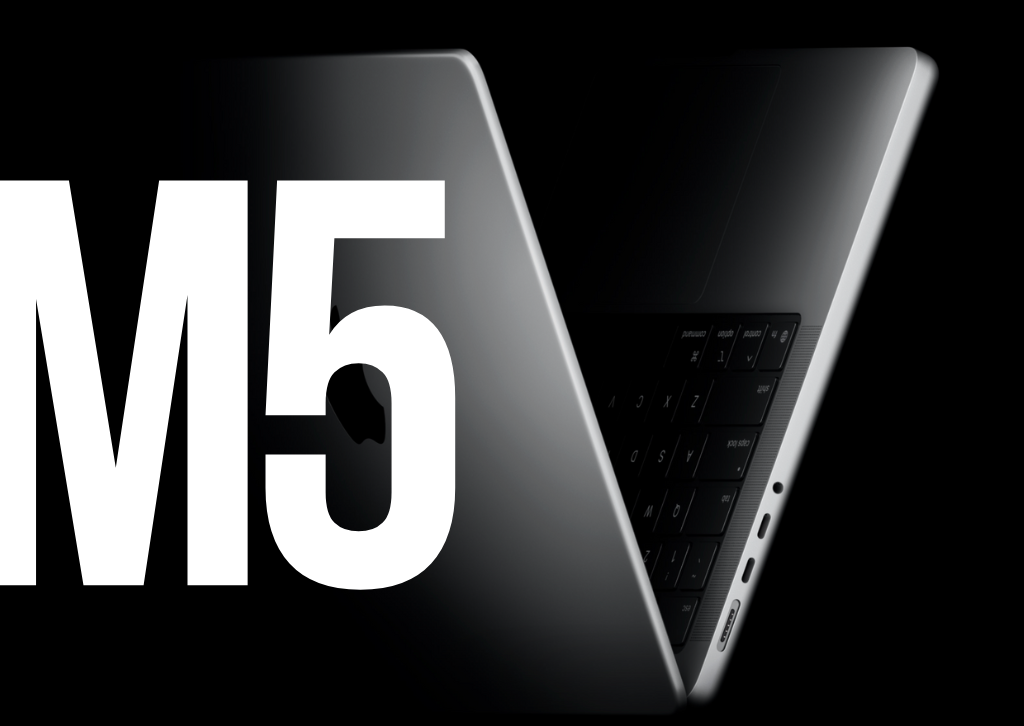
In a departure from its recent strategy, Apple announced the new 14-inch MacBook Pro featuring its powerful M5 chip, marking a shift in how the company rolls out its professional laptop lineup. Unlike previous years when Apple launched its entire MacBook Pro range simultaneously, this time the company has led with the entry-level 14-inch MacBook Pro while the M5 Pro and M5 Max versions are reportedly still several months away.
The M5 Chip: Built for the AI Era
The star of the show is undoubtedly the M5 chip, which features a next-generation GPU with a Neural Accelerator in each core. This chip delivers up to 3.5x the AI performance and up to 1.6x faster graphics than the M4 generation. This represents a significant leap forward in Apple’s silicon journey, particularly for users of artificial intelligence applications.
The M5 chip features a 10-core CPU, 10-core GPU, and 16-core Neural Engine, offering up to 15% faster CPU performance and up to 45% faster graphics compared to the M4 chip. The enhanced GPU architecture is especially noteworthy, with over 4x peak GPU compute compared to M4, and over 6x peak GPU compute for AI performance compared to M1.
Memory bandwidth has also received a substantial boost, increasing from 120GB/s to 153GB/s, which accelerates everything from launching applications to running large language models directly on the device.
Real-World Performance Gains
In practical terms, the M5 MacBook Pro delivers up to 1.8x faster AI video-enhancing performance in Topaz Video, up to 1.7x faster 3D rendering in Blender, and up to 1.2x faster build performance during code compiling in Xcode. These improvements make the new MacBook Pro particularly attractive for creative professionals, developers, and anyone working with AI-driven workflows.
The storage system has also been upgraded, with faster SSD performance than the previous generation for tasks like importing RAW image files or exporting large videos.
What Stays the Same
Apple hasn’t reinvented the wheel with this release. The design remains unchanged from the 2021 MacBook Pro redesign, still available in Space Black and Silver finishes. The laptop maintains its phenomenal battery life of up to 24 hours, ensuring professionals can work untethered throughout the day.
Key features from the previous generation carry over, including the stunning Liquid Retina XDR display with an optional nano-texture option, the 12MP Center Stage camera, six-speaker sound system, and comprehensive port selection including SDXC card slot, HDMI, Thunderbolt, and 3.5mm headphone jack.
Pricing and Availability
The new 14-inch MacBook Pro with M5 starts at $1,599 for a configuration with 16GB of RAM and 512GB of storage, the same price as its predecessor. The base model can now be configured with up to 4TB of storage, whereas the previous model maxed out at 2TB, though the maximum unified RAM remains at 32GB.
Pre-orders are available today, with devices shipping and arriving in stores beginning Wednesday, October 22.
Looking Ahead
While the base M5 model launches now, professionals waiting for the more powerful variants will need to exercise patience. The M5 Pro and M5 Max models are expected to launch in early 2026, leaving the year-old M4 Pro and M4 Max MacBook Pros as the current high-end options.
This staggered release strategy suggests Apple may be adapting its approach to Mac launches, potentially to smooth out production schedules or maintain market presence throughout the year rather than concentrating releases into a single event.
The Bottom Line
The MacBook Pro 14″ with M5 represents an evolutionary rather than revolutionary update, but the improvements are meaningful, particularly for users working with AI applications. The substantial gains in AI performance, combined with faster graphics and improved memory bandwidth, make this an attractive upgrade for those on older MacBook Pros or anyone seeking a powerful, portable machine for professional work.
At the same starting price as its predecessor and with the same excellent design, the M5 MacBook Pro offers compelling value—even if those seeking the ultimate in performance will need to wait for the Pro and Max variants to arrive in 2026.


DeleteMe: Your Digital Privacy Guardian in an Age of Data Exploitation

The Mid-Range Redefined: A Comprehensive Review of the Nikon Z6 III

The Canon PowerShot ELPH 360 HS: A Deep Dive into the Pocket-Sized Powerhouse

Sony FE 16mm f/1.8 G Review: The Ultra-Wide Prime for the Modern Creator

Clash of the Titans: 13″ iPad Pro M4 vs. Samsung Galaxy Tab S10 Ultra – Which Premium Tablet Reigns Supreme?

The Guardian of Your Threshold: An In-Depth Review of the Google Nest Doorbell
-
 Photography1 year ago
Sony FE 16mm f/1.8 G Review: The Ultra-Wide Prime for the Modern Creator
-
 Tablets1 year ago
Clash of the Titans: 13″ iPad Pro M4 vs. Samsung Galaxy Tab S10 Ultra – Which Premium Tablet Reigns Supreme?
-
 Home Tech1 year ago
The Guardian of Your Threshold: An In-Depth Review of the Google Nest Doorbell
-
 Computers1 year ago
Asus ProArt Display 6K PA32QCV Review: A Visual Feast for Professionals
-

 Computers1 year ago
ASUS Zenbook Duo: A Pretty Awesome Dual-Screen Laptop
-

 Photography1 year ago
Adobe’s “Project Indigo” is the iPhone Camera App We’ve Been Waiting For, and It’s Awesome
-

 Home Tech1 year ago
Revolution R180 Connect Plus Smart Toaster: More Than Just Toast?
-

 Health Tech1 year ago
Lumen Metabolism Tracker: A Deep Dive into Your Metabolic Health
-

 Photography1 year ago
DJI Osmo 360 go: The Next Generation of Immersive Storytelling?
-

 Computers1 year ago
Apple Mac Studio Review: A Desktop Powerhouse Redefined
-

 Computers1 year ago
Samsung 15.6” Galaxy Book5 360 Copilot AI Laptop: A Deep Dive into the Future of Productivity
-

 Wearables1 year ago
Bowers & Wilkins Pi8 McLaren Edition Review: A Supercar for Your Ears?